How to keep a lean startup tool stack
 Baltej Singh8 min read
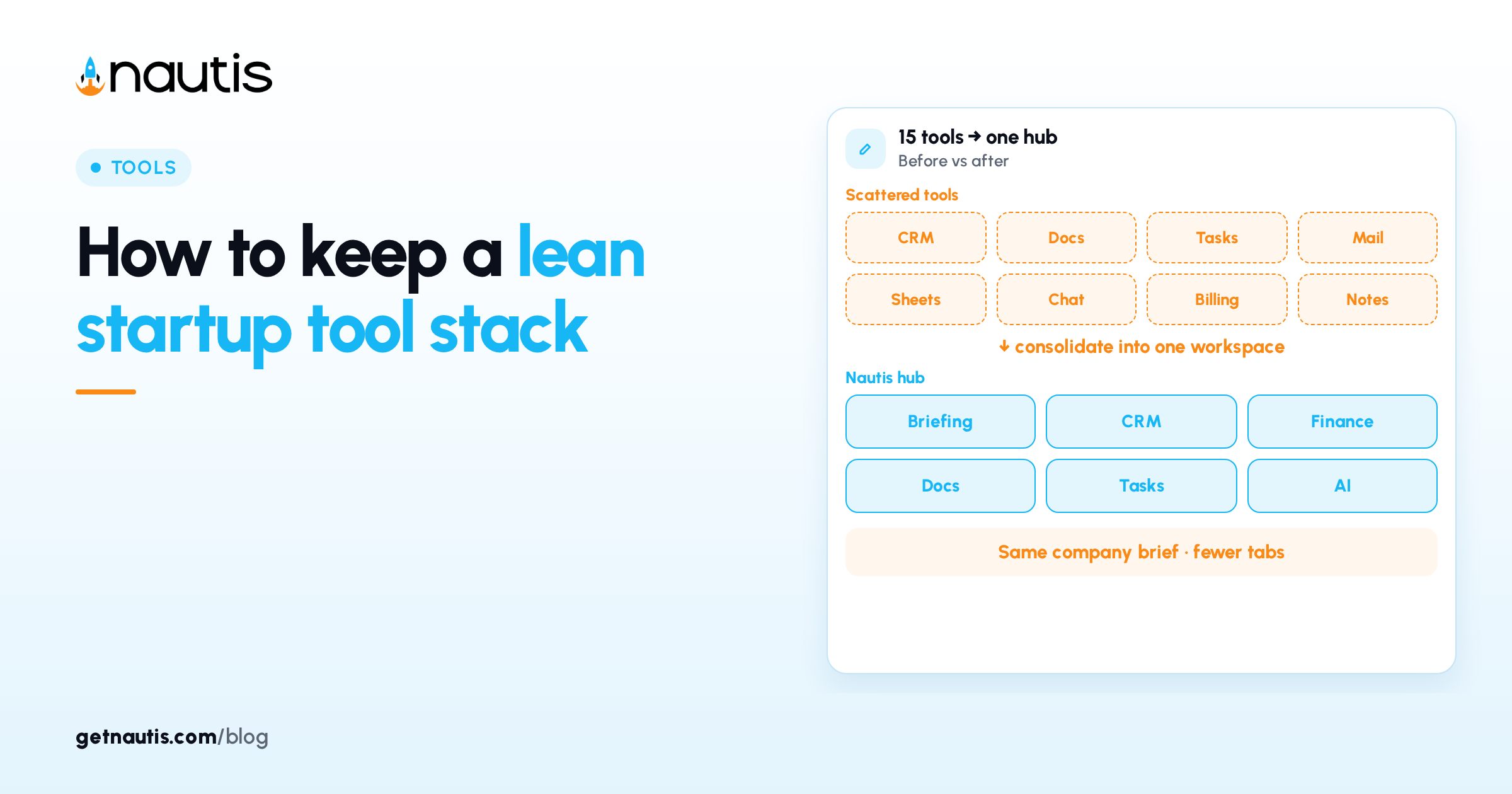
A lean startup tool stack is a short list of paid and free systems where each company object has one home tool and one owner. Chat is not a CRM. Three forecasting sheets are not a finance stack. When two vendors claim the same object, pick one and cancel the other on a dated plan.
Keep the list boring on purpose. Add a vendor only when a named weekly workflow breaks without it. A shiny demo is not a broken workflow.
Cap paid tools per company stage, then force a trade: one in, one out, unless a new object appeared.
What a lean startup tool stack is for
The job of a lean startup tool stack is faster answers with fewer logins. Founders lose mornings reconciling subscriptions that disagree about the same customer, invoice, or project list.
YC essential startup advice favors focus over process theater (Y Combinator Library, checkedOn 2026-11-01). Treat subscriptions the same way: fewer seats, clearer owners, one place to look.
Illustrative miss (composite only): CRM, deal spreadsheet, and inbox labels for the same pipeline; three forecasts; standup time spent arguing which number is real.
Illustrative win (composite only): one CRM for deals, one ledger for money, one docs home, one work tracker; each with a named owner and a renewal date.
If a subscription does not change a weekly workflow, put it on the cancel list. Logo walls are not an operating system.
Write objects first (customer, task, money, file, calendar), then vendors. Starting from a catalog of trials guarantees extras you will not prune.
Assign each home tool an owner in the same sitting you fill the table. An ownerless home tool becomes a zombie subscription within a quarter.
List the weekly questions you must answer without heroics. If a question needs three logins, that object still lacks a single home tool.
Write the maximum number of paid tools you will tolerate at your current headcount next to the table. When a request would break the maximum, require a cancel candidate in the same paragraph.
One home tool for each company object
Company object | Home tool rule | What to demote |
|---|---|---|
Customer / deal | One CRM owns stages and amounts | Parallel deal sheets and inbox-only pipelines |
Task / project work | One tracker owns company work | Shadow personal to-do apps for shared delivery |
Money in / money out | One ledger owns cash truth | Side bank tabs that never reconcile |
Company docs and memos | One docs home owns policies | Duplicate wikis for the same page |
Calendar holds | One scheduling truth owns holds | Triple-booked links with no owner |
Illustrative map (composite only): five objects, five home tools; two personal note apps stay private-only; a temporary database cancelled after CRM import.
Share the table before anyone buys. If people cannot name the object a vendor owns, you do not need the vendor yet.
Put the buyer and the admin as different people when you can. The person excited by the demo should not be the only person who can cancel it.
Personal apps can stay personal. Company objects need a company home tool whose access survives a laptop wipe.
Illustrative boundary (composite only): private journals anywhere; pipeline stages and invoices only in the named company systems.
Company secrets and shared API keys belong in one team password vault with named access, not in chat. Keep that as a single line on the stack map; do not turn this post into a vault tutorial.
Confirm one home tool before each renewal
Before you renew, ask which object the vendor still owns and who last used a seat. Renewals are the cleanest moment to enforce the table without a dramatic purge.
Invite finance to the renewal pass when the monthly total crosses a threshold you set in writing. Tool spend is a budget line, not a collection of forgotten cards.
Illustrative renewal pass (composite only): design suite renews Friday; whiteboard trial still open for the same mockups; owner keeps design suite and schedules the whiteboard cancel the same day.
Prefer one honest home tool over three syncs you do not monitor. Connected junk is still junk.
Ask for last export date and last admin login before you renew any tool that claims to be "critical." Silence on both is a demotion signal, not a reason to prepay annually.
When two tools hold the same object, pick the stronger access control and export path, migrate with a one-paragraph plan, then set the loser to read-only on a date. "We will consolidate later" without a date means never.
Seat counts lie when half the seats are idle. Before annual renewal, export the user list and mark last active dates. If half the seats show no login in ninety days, cut seats or cut the vendor before you negotiate a larger plan.
Bring last month's card statement to a thirty-minute monthly pass. Orphan charges without an owner on the table get a cancel ticket the same day, forwarded to finance so the card is removed, not only the login.
Cut vendors with an owner and a cancel date
Every paid tool needs a named owner and a renewal date on a shared calendar. Owner means the person who will defend or kill the subscription, not the person who typed the card once.
Publish owners in the same doc as the object table. When someone leaves, reassign their tools the same week you revoke email, or renewals will keep charging a ghost seat.
Illustrative cut (composite only): analytics trial ends Friday; owner is Head of Product; if the product analytics home tool already covers the same events, cancel the trial the same day.
Record the cancel reason in one line on the map ("duplicate of X" or "no seats used in 90 days"). Patterns in those lines tell you where sprawl keeps trying to return.
When you cancel, export first, revoke access second, then remove the card. Dormant SSO is how cancelled tools quietly return.
Tell the team which home tool replaces the cancelled one in the same message. Silence after a cancel is how people recreate the duplicate in a personal account.
Measure success by time to answer a basic question (pipeline total, cash out this week, open P0s) without opening three apps. If the scavenger hunt remains after a cancel, you demoted the wrong home tool; reverse and choose again with the table in hand.
Default to monthly billing until a tool proves it owns an object for two full cycles. Annual prepay on an unproven duplicate is how cancels get postponed.
Stop after one true duplicate cancel this month even if three candidates exist. Sequence beats a purge that breaks a live workflow.
Review the stack when the company shape changes
Refresh the object table when you add a function, open a channel, create an entity, or start a raise. New work tempts new vendors. Ask which object the vendor owns. If the answer is only a nicer UI for data you already store, improve the current home tool instead.
Run the refresh as a standing agenda item after planning offsites, not as a guilt project in December. Fifteen minutes with the table beats a weekend of surprise renewals.
Illustrative refresh (composite only): first support hire joins; helpdesk becomes the ticket home tool; founder inbox labels for bugs get demoted the same week.
Keep a one-page stack map next to admin contacts. New teammates should find CRM, ledger, docs, and tracker without a scavenger hunt.
Update the map the same day you approve a renewal or complete a cancel. A stale map trains people to ignore the lean rule.
Illustrative onboarding (composite only): day-one checklist lists four systems and who owns access; no seventh optional app appears until a workflow owner files a one-paragraph request that names the object and the tool it will replace or join.
If Nautis is your operating workspace for planning, CRM-adjacent work, finance modules, and docs, treat those modules as the default before you buy another point tool for the same object. Ask whether the new vendor owns a new object or only paints an old one.
Use in-product plan limits as a forcing function: when a module already covers the object, spend the seat budget on depth there instead of a parallel vendor. See pricing for plan context. Broader module docs sit in the Help Center.
Publish the object table where admins already look. A map that lives only in a founder head is how the next person buys a seventh tool on day three.
A lean startup tool stack compounds when every object has one home and every paid seat has an owner. Add the next tool only when a named workflow fails without it.
End each month by listing cancels completed and renewals approved. That two-line log is the operating rhythm that keeps the stack lean without a special project.
Re-read the object table after every conference or tool fair. Trial codes are how disciplined lists quietly double.
When finance, product, and GTM each request a lightweight database for the same customer list, merge into the CRM you already trust and decline the extras on one shared date.
Frequently asked questions
What is a lean startup tool stack?
A short set of tools where each important company object has one home tool, a named owner, and a renewal date.
How do we stop paying for duplicates?
Use an object table, review seats before renewal, and cancel losers after a one-paragraph migration plan.
Where do passwords fit?
As one home for company secrets on the stack map. Detailed vault setup is covered in a separate password-manager guide.
When should we add a tool?
Only when a named weekly workflow breaks without it and the vendor owns an object not already covered.
Sources
- Y Combinator, Essential startup advice. Checked on November 1, 2026.
Baltej Singh is a serial entrepreneur, technology leader, and Founder & CEO of Nautis and DemoVexa, with over 16 years of experience building software products, SaaS platforms, and startups. Previously the Co-Founder & CTO of SanchiConnect, he has worked extensively in the DeepTech startup ecosystem, connecting with 200+ venture capital firms and supporting a network of 4,000+ startups. Passionate about AI, automation, and entrepreneurship, he focuses on building innovative products that solve real-world problems and help businesses grow.