

AI chief of staff vs chatbot: what is the difference?
 Baltej Singh9 min read
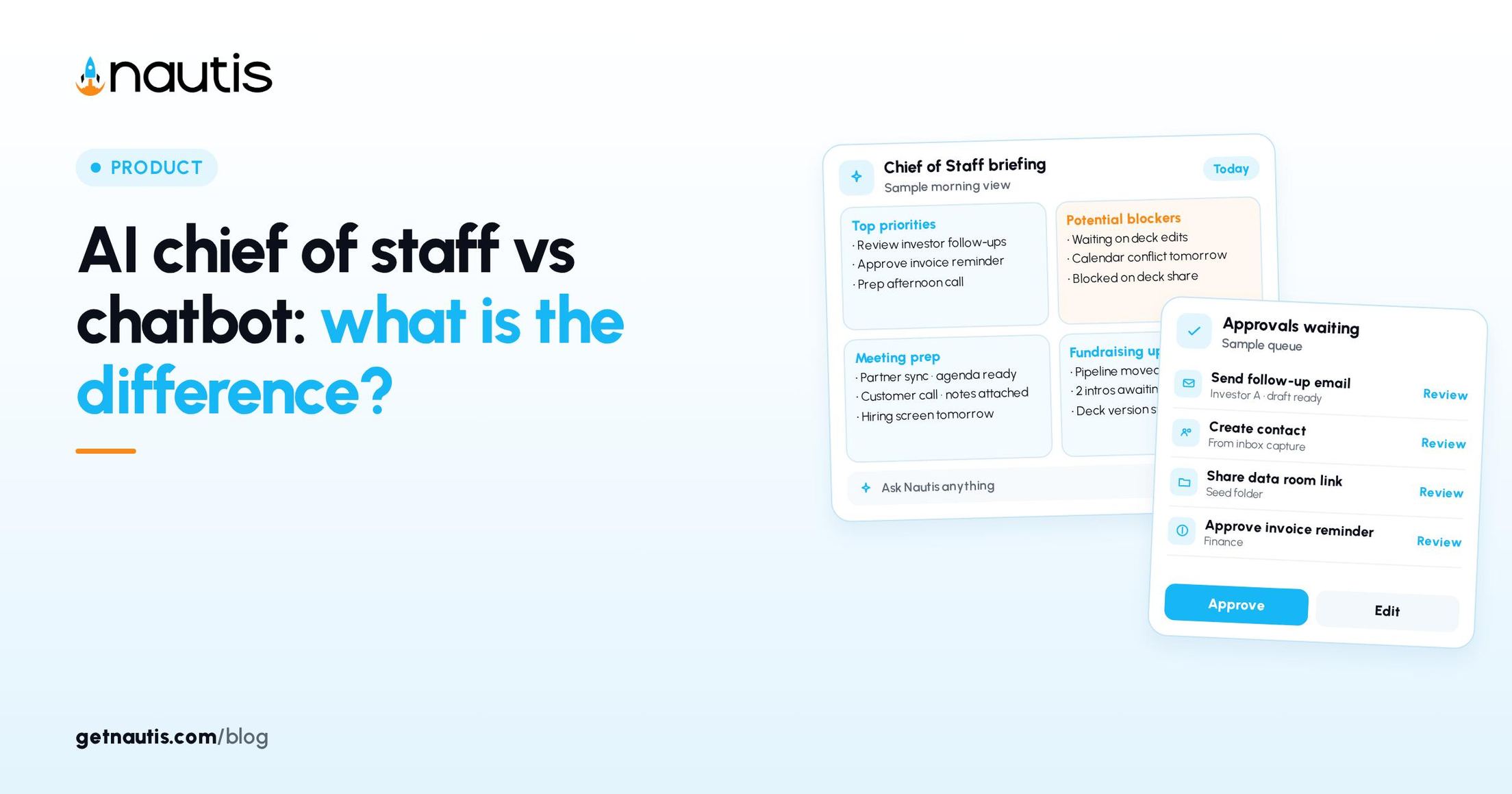
AI chief of staff vs chatbot debates usually start with the wrong question. Founders ask which model is smarter. The useful question is whether the system sits on your company context, your tools, and your approval rules, or whether it is a blank chat that forgets the round the moment the tab closes. This post compares those shapes so you pick the right tool for the job. It is a product walkthrough for Nautis and a plain contrast with generic chatbots. It is not a claim about model IQ.
AI chief of staff vs chatbot at a glance
Job | Generic chatbot | Nautis Chief of Staff |
|---|---|---|
Knows your round, runway, and tasks | Only if you paste them every time | Reads the workspace into the daily Founder Briefing |
Remembers company facts | Session or manual custom instructions | Memory view: company brief, narrative, facts, commitments |
Can change email, CRM, or calendar | Via brittle plugins you babysit | Agents propose actions under Agent Autonomy |
Human gate before send | You copy-paste carefully | Approval Center; Ask every time vs Run without asking |
Standing work | You re-prompt daily | Routines on a schedule or trigger, still governed |
Audit trail | Chat history in another vendor | AI Activity with Auto-ran, Approved, Rejected, Pending |
If the row that matters most to you is "Knows your round," a chatbot will feel magical until the first week you forget to paste the CRM export. If the row that matters is "Human gate before send," a chatbot puts the gate in your nervous system. Chief of Staff puts it in Approvals.
Three tests before you call something a chief of staff
- Context test: Can it name today's blockers without a fresh paste? In Nautis, open Chief of Staff (checked 31 Oct 2026) on Briefing. Items group into Priorities, Blockers, Approvals, Pipeline, Today, and Runway. A chatbot that needs a new dump each morning fails this test.
- Authority test: Can it touch the outside world only with rules you set? Owners and Admins set Agent Autonomy per capability to Ask every time or Run without asking. AI Copilot deletes stays Always asks. A chatbot with an email plugin and no Approval Center fails this test the first time it drafts a customer reply you did not see.
- Habit test: Does recurring work run without you reinventing the prompt? Routines are standing orders. After each run you get a summary, and changes still follow approval rules. Run statuses include Waiting for approval. A saved prompt in a consumer chat is not a routine with an audit line.
Fail any test and you still have a useful chatbot. You do not yet have a chief of staff. Pass all three and the label starts to mean something operational.
What the Chief of Staff views actually hold
The Chief of Staff page opens on Briefing. Other views from the left list (or top tabs on small screens) are Chat, Routines, Memory, Approvals, Notifications, and Settings. Chat is your conversation with the Chief of Staff, not a disconnected consumer tab. Routines are standing orders for agents, scheduled or triggered, always governed. Memory is what Nautis knows about the company: inspect it, correct it, export it. Approvals is the Approval Center. Notifications holds history plus delivery settings. Settings is where Owners and Admins reach Agent Autonomy, Priorities, and AI Activity, and where Voice or WhatsApp appear when offered.
Priorities for admins are six sliders that shape tomorrow's briefing: Revenue at risk, Runway & burn, Deals & fundraising, Team health, Marketing & brand, and Everything else. Set each from Lower to Top of mind and Save. The weights also learn from done, snooze, and dismiss. A chatbot with a pinned custom instruction cannot learn from your snooze behavior across the workspace.
Past briefings stay under Briefing, including Weekly digest entries generated Monday mornings and Evening debriefs when enabled. That history is another quiet difference in the AI chief of staff vs chatbot comparison: one side keeps an operating log inside the company system; the other side keeps a vendor chat you may lose when the seat changes.
Where AI Co-Pilot fits (and where it does not)
AI Co-Pilot is the advisory board chat inside Nautis: pick a specialized advisor on Your AI Advisory Board, then talk with module context from your account. Find it from the Company section as AI Advisory Board. Each message uses AI credits from the organization's monthly balance; when credits run out, sending is blocked until they reset or you top up. It is closer to an expert conversation than to the morning Founder Briefing.
Use Co-Pilot when you want counsel-shaped thinking on GTM, fundraising narrative, or a decision. Use Chief of Staff Briefing when you want ranked work for today. Use a generic chatbot when you need disposable prose with no company secrets in the prompt. Mixing the three on purpose beats forcing one pane to do every job.
Treat Co-Pilot answers as drafts until you file the decision in Notes, Task Boards, or the CRM. Treat Chief of Staff Approvals as binding once you Approve. Treat chatbot output as untrusted for anything that touches customers, investors, or money until a human rewrites it in a company channel.
For a neighboring contrast on assistant versus chief of staff framing, see AI chief of staff vs assistant. Keep the daily briefing habit on one page so Priorities and Blockers stay visible even when chat tabs multiply.
Illustrative Monday morning (composite only)
The story below is a composite illustrative example, not a real company log.
Illustrative chatbot path: A founder pastes yesterday's notes into a consumer chat, asks for priorities, gets a clean list, then spends twenty minutes copying tasks into a board and drafting investor replies by hand. Nothing in the chat knows the SAFE that cleared or the meeting that slipped. By Wednesday the custom instructions are stale.
Illustrative Chief of Staff path: The same founder opens Briefing, sees Blockers and Approvals already ranked, snoozes one item, marks another done, and opens Approval Center for a routine that wants to send a follow-up. They choose Approve or Reject. Memory still holds the company brief. AI Activity later shows Approved or Auto-ran with a timestamp. No paste ritual.
The illustrative gap is not eloquence. It is whether the system of record and the AI share a spine.
Approval hygiene that chatbots cannot fake
Clear Waiting for approval the same day so automation does not pile into ignored cards. Recheck Approvals on a fixed weekly cadence even when the inbox feels quiet. Owners and Admins own Agent Autonomy and background approvals; a card from your own chat or from Do it is yours to decide whatever your role.
In AI Governance (checked 31 Oct 2026), the AI Activity log records Action, Status, Agent, Model, and When. Filter by Auto-ran, Approved, Rejected, or Pending. Open a row when something looks off. That loop is the opposite of a chatbot tab you never revisit after the clever answer.
If a capability should never fire alone, leave it on Ask every time. If a low-risk internal tidy is drowning you in cards, Run without asking may be right, with the undo window where supported. Write the choice down next to your security policy so a new admin does not flip everything to silent in week one.
Capabilities labeled External touch the outside world; Internal stays inside Nautis. Every action, automatic or approved, is audit-logged. That sentence alone is why AI chief of staff vs chatbot is not a branding fight. One side can prove what ran.
What to tell the team
Say chatbot when you mean brainstorming, throwaway copy, or learning with public facts. Say Chief of Staff when you mean briefing, memory, routines, and gated actions on company systems. Say AI Co-Pilot when you mean a specialized advisor chat with module context and credit use.
Do not market a pasted consumer-chat thread as "our AI chief of staff" in a board update. Investors who later see Approvals and AI Activity will notice the difference. Founders who feel behind on AI usually need the spine (Liftoff context, Briefing habit, autonomy defaults), not another model subscription.
Set up context through Set up your Chief of Staff (Liftoff) (checked 31 Oct 2026) so Memory and tools are not empty when Briefing runs. Empty context makes Chief of Staff feel like a chatbot with better typography. Full context makes the comparison unfair in the other direction, which is the point.
On Briefing items, use done, snooze, or dismiss with Update permission. Only Owners and Admins approve or reject requests from background agents and change Agent Autonomy. Teach that split explicitly so teammates do not treat every chat card as someone else's problem.
Pick by job, not by hype
Use a generic chatbot for drafts you will rewrite and for questions that should never see your cap table. Use Chief of Staff for the morning list, for Waiting for approval discipline, and for routines that must leave a trail. Use AI Co-Pilot when you want advisor-shaped chat against live module context.
Run a thirty-minute audit once: open Briefing without pasting anything, open Memory and correct one stale fact, open Approvals and clear or schedule every Waiting for approval item, open AI Activity and read the last ten rows, then open Agent Autonomy and confirm External capabilities match your risk tolerance. If any step feels empty, finish Liftoff and connect the tools before you blame the model.
AI chief of staff vs chatbot is settled when you can point at Briefing, Memory, Approvals, and AI Activity and explain who may Run without asking. Until then, keep the chatbot for what it is good at, and stop asking it to be your operating system.
Frequently asked questions
What is the difference between an AI chief of staff and a chatbot?
A chatbot answers in a blank thread. A chief of staff sits on workspace context, Memory, Routines, and an Approval Center with Agent Autonomy. In Nautis that shows up as Founder Briefing, Approvals, and AI Activity, not another chat tab with a nicer name.
Is AI Co-Pilot the same as Chief of Staff?
No. AI Co-Pilot is Your AI Advisory Board for specialized advisor chat with module context and AI credits. Chief of Staff is Briefing, Chat, Routines, Memory, Approvals, and Settings including Agent Autonomy.
What does Waiting for approval mean?
On Routines, Waiting for approval is a run status when the agent needs a human decision before changes proceed. Clear those cards the same day so automation does not stack into ignored work.
Who can change Agent Autonomy?
Only organization Owners and Admins can change Agent Autonomy and decide background approvals. Each capability is Ask every time or Run without asking; AI Copilot deletes stays Always asks.
Sources
- Nautis Chief of Staff. Checked on October 31, 2026.
- Nautis AI Governance. Checked on October 31, 2026.
- Nautis Set up your Chief of Staff (Liftoff). Checked on October 31, 2026.
- Nautis AI Co-Pilot. Checked on October 31, 2026.
Baltej Singh is a serial entrepreneur, technology leader, and Founder & CEO of Nautis and DemoVexa, with over 16 years of experience building software products, SaaS platforms, and startups. Previously the Co-Founder & CTO of SanchiConnect, he has worked extensively in the DeepTech startup ecosystem, connecting with 200+ venture capital firms and supporting a network of 4,000+ startups. Passionate about AI, automation, and entrepreneurship, he focuses on building innovative products that solve real-world problems and help businesses grow.


