Customer support triage for startups without a support team
 Baltej Singh8 min read
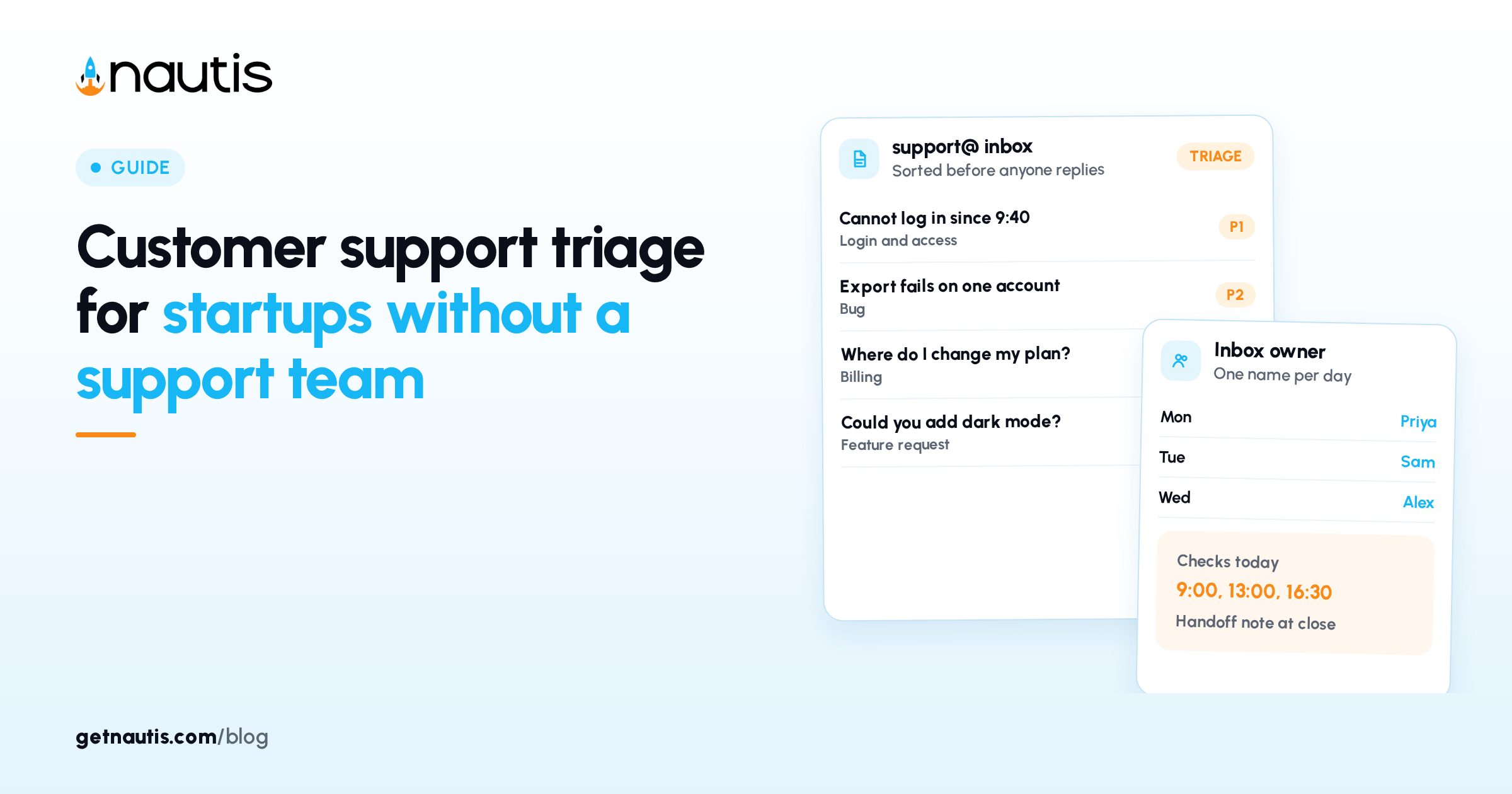
Customer support triage for startups is the habit of sorting every incoming message by urgency and type before anyone starts answering, so the worst problems get handled first and nothing sits unread. For a team without a support department, that means four priority levels, one person who owns the inbox each day, a few written rules for sorting, and a weekly look at what keeps coming back. You can set it up in an afternoon with the inbox you already have.
Most early teams answer support in arrival order. The founder opens the shared inbox, replies to the top message, then the next. That feels responsive until a customer who cannot log in waits behind three feature requests and a billing question. Triage fixes the order, not the effort.
What is customer support triage for startups?
It is a short decision made on each message before the reply: how bad is this, what kind of problem is it, and who should handle it. The word comes from medicine, where the sickest patient is seen first regardless of who arrived first.
Large support teams use software to do part of this. Zendesk's help center, as of November 2026, describes an intelligent triage feature that classifies new tickets by topic, sentiment, and language so they can be routed and prioritized. A five-person startup can get most of that value by hand, as long as the rules are written down and everyone uses the same ones.
Three things make triage work at a small company:
- A short, shared definition of urgency, so two people sort the same message the same way.
- One named owner per day, so the inbox never belongs to everyone and therefore no one.
- A record of categories, so repeat problems show up as a pattern instead of a vague feeling.
Four priority levels and what each one gets
The levels below are labeled P1 to P4, short for priority one through priority four. Engineering teams often rank incidents by severity in a similar way. Atlassian's incident management guide, as of November 2026, describes its top level as a critical incident with very high impact, such as customer data loss, a security breach, or a customer-facing service that is down for everyone, and its third level as a minor issue that can be handled during working hours. Support messages can borrow the same idea with plainer labels.
The reply targets below are example numbers for a small team working one time zone. Pick your own and write them down.
Level | What it looks like | First reply target (example) | Who handles it |
|---|---|---|---|
P1, urgent | Nobody can log in, data looks wrong or missing, a payment charged twice, a possible security problem | Within 1 hour during working hours | Inbox owner, plus the engineer on call |
P2, blocking one customer | One account cannot finish a core task, an export fails, an integration stopped syncing | Same working day | Inbox owner, escalates if stuck by midday |
P3, question | How do I do this, where is that setting, billing questions with no error | Within 1 working day | Inbox owner |
P4, idea or feedback | Feature requests, design opinions, praise, complaints with no blocked task | Within 2 working days | Inbox owner logs it, founder reviews weekly |
A message keeps its level until someone changes it on purpose. If a P3 question turns out to be a bug that blocks the customer, move it to P2 and tell the customer you did.
Two rules keep the levels honest. First, the customer's tone does not set the level. An angry feature request is still P4, and a polite note saying "I think someone else can see our invoices" is P1. Second, anything that might involve money, security, or lost data starts at P1 until you know otherwise. Downgrading is cheap. Missing a real problem is not.
How do you sort a message in under a minute?
Ask the same questions in the same order every time. The order matters because it puts the expensive problems first.
- Could this involve lost data, a security problem, or money taken incorrectly? If yes, P1.
- Is the customer unable to finish something they pay you for? If yes, P2.
- Are they asking how to do something, or asking about their bill? If yes, P3.
- Is it a suggestion, opinion, or request for something new? If yes, P4.
Then add one category so you can count later. Keep the list short, around six to eight, or people stop using it:
- Login and access
- Billing
- Bug
- How-to
- Integration
- Feature request
- Account change, such as a plan switch or a new teammate
- Other
"Other" is a warning sign. If it grows past a handful a week, read those messages and add the category they are hiding.
Spam and sales pitches do not need a level. Archive them so they do not dilute the count.
Who owns the inbox each day
The most common failure in small-team support is shared ownership. Three people can see the inbox, each assumes another will answer, and a message sits for two days. A rotation fixes it.
A rotation that works for a team of three to six:
- One person owns the inbox each day. Put the name on the team calendar.
- The owner checks at fixed times, for example 9:00, 13:00, and 16:30, and sorts everything new.
- The owner answers P3 and P4 messages directly and pulls in help for P1 and P2.
- Before signing off, the owner leaves a short handoff note: open P1 or P2 messages, who is working each one, and what the customer was told.
Founders often keep the inbox for themselves longer than they should. Reading support early is valuable, and you should keep reading a sample every week. Answering every message yourself once the team has grown is a different thing. It pulls you out of work only you can do and leaves the team without practice.
Escalation needs the same clarity. Write down who the inbox owner calls for a P1 at 10 AM and who they call at 7 PM. If the answer is "the founder, always," that is a real constraint, and the reply targets should reflect it.
Replies that save time without sounding canned
Saved replies help, but customers can tell when a template was pasted without reading their message. Write short starting points, then change at least one line each time so it answers their actual question.
Useful starting points:
- First reply on a P1. Say you have seen it, say what you are checking first, and give a time for the next update. Then send that update even if the news is "still working on it."
- Bug you can reproduce. Thank them for the detail, say you can see the problem, and say whether it is being fixed today or added to the queue.
- How-to question. Answer in numbered steps with the exact names of the screens and buttons, then link the help article if one exists.
- Feature request. Say what you heard in one line, say it is logged, and do not promise a date you have not agreed with the team.
- Closing a thread. Confirm what was done and ask them to reply if anything still looks wrong.
Keep the first-reply targets visible. A clock on the wall does more for response time than another template.
Turning repeat tickets into product work
Triage pays off twice. It speeds up replies, and it gives you a weekly count of what customers struggle with. Once a week, ideally before planning, the founder and the last few inbox owners spend 20 minutes on three questions:
- Which category grew this week, and why?
- Which single problem came up three or more times?
- Which P1 or P2 messages could a product change or a help article have prevented?
The answers feed real work. A repeated how-to question usually means a confusing screen or a missing help page. A repeated bug becomes a ticket with a named owner. A cluster of feature requests from paying accounts is evidence worth writing up before you build anything. If you are building your wider post-sale process, the customer success basics for early SaaS post covers the parts beyond the inbox, and the churn reduction basics post covers what to do when support patterns start pointing at cancellations.
Running support triage from one shared inbox in Nautis
If your team uses Nautis, its email inbox, MailBox, covers the mechanics. According to the MailBox help guide, you can connect a support address once and share that mailbox with chosen teammates so they read and work the same inbox. Each thread can be assigned to a teammate, which hands off a message without forwarding it, so the daily owner can route a P1 to the engineer and everyone can see who has it.
The guide also describes artificial intelligence (AI) features that use your organization's Nautis AI credits: a two to four sentence summary of a thread with an "Action needed" line, a drafted reply you edit before sending, and a list of action items pulled from the thread. A summary can speed up sorting, but the level is still your call, made with the four questions above.
Gmail and Outlook connect out of the box, and other standard mailboxes connect through the generic option the guide lists. Mailbox slots depend on your plan; see pricing for current plans. None of this is required to run triage well. A shared inbox, a written level table, and a calendar with one name per day get you most of the way.
Frequently asked questions
How should a small startup prioritize support tickets?
Use a short list of priority levels and ask the same questions in order: could this involve lost data, security, or incorrect charges, is the customer blocked from a core task, is it a how-to or billing question, or is it a suggestion. The first yes sets the level. Write the levels and reply targets down so everyone sorts the same way.
Who should own the support inbox at an early-stage startup?
One named person per day, on a rotation shared by the team. The owner checks at fixed times, answers simple questions, pulls in help for urgent ones, and leaves a handoff note before signing off. The founder should still read a sample of messages each week even after handing off daily replies.
How fast should a startup reply to support emails?
Set your own targets by priority level and publish them to the team. A common pattern is a fast first reply for urgent problems during working hours, same-day for a blocked customer, and one to two working days for questions and feature ideas. Pick numbers your team can actually keep.
Do I need help desk software to run support triage?
No. A shared inbox, a written table of priority levels, a short category list, and a daily owner on the calendar cover most of what a small team needs. Software helps with routing and reporting once volume grows, but the rules have to exist first.
Sources
- Zendesk Help Center, Automatically classifying tickets with intelligent triage. Checked on November 9, 2026.
- Atlassian, Understanding incident severity levels. Checked on November 9, 2026.
- Nautis Help Center, MailBox (unified email inbox). Checked on November 9, 2026.
Baltej Singh is a serial entrepreneur, technology leader, and Founder & CEO of Nautis and DemoVexa, with over 16 years of experience building software products, SaaS platforms, and startups. Previously the Co-Founder & CTO of SanchiConnect, he has worked extensively in the DeepTech startup ecosystem, connecting with 200+ venture capital firms and supporting a network of 4,000+ startups. Passionate about AI, automation, and entrepreneurship, he focuses on building innovative products that solve real-world problems and help businesses grow.