How to find investors by stage and thesis
 Baltej Singh9 min read
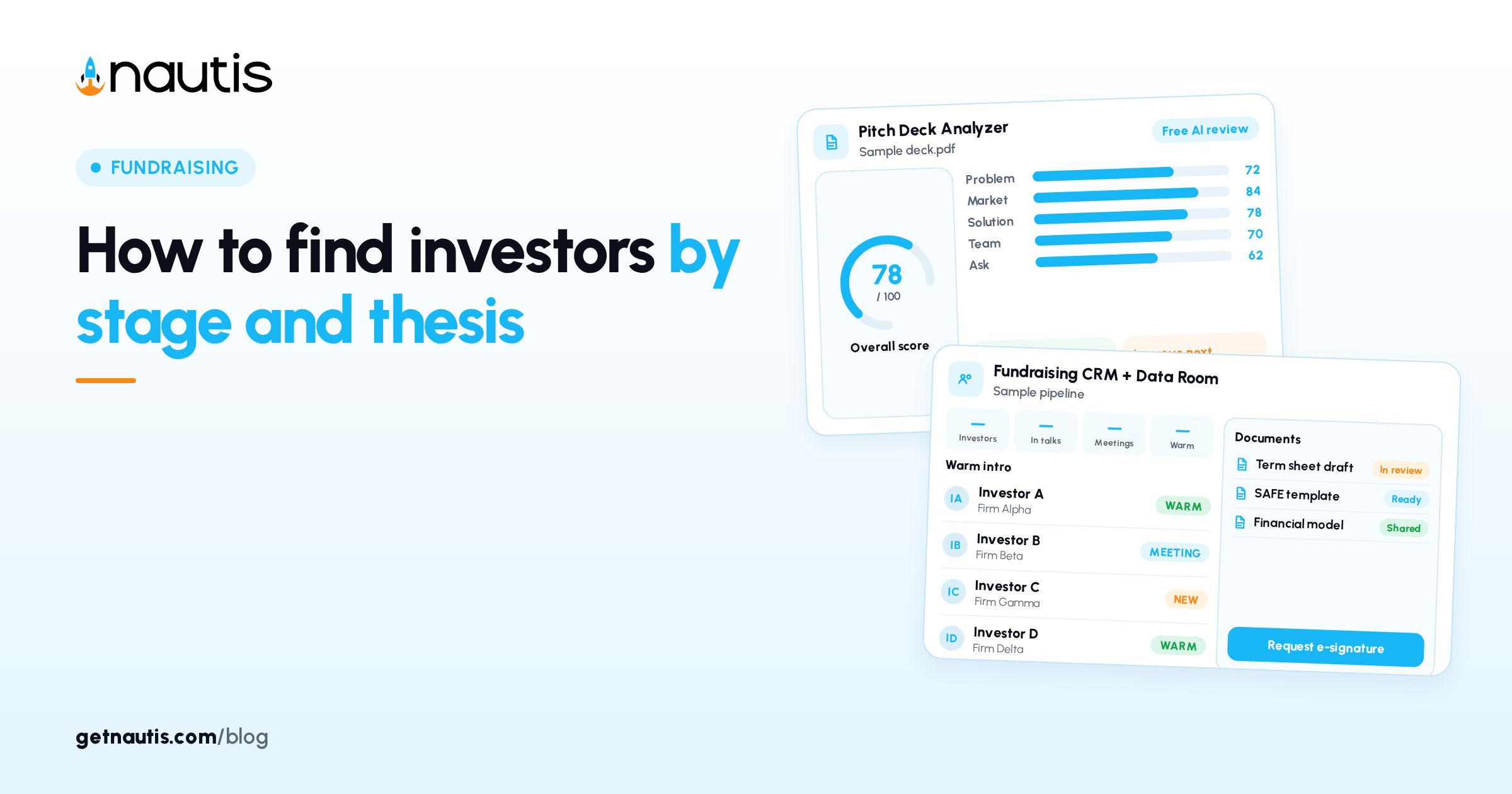
Find investors by stage and thesis means narrowing a shared directory until the shortlist matches your round, sector, geography, and check size. In Nautis that directory is Find Investors under Fundraising: Search Investors, Filters, Match Score, profile side panel, and Add to Pipeline into Fundraising CRM.
Why find investors by stage and thesis before you email
Cold lists without stage or thesis filters waste weeks. Filters combine across categories so you only open profiles that already fit the raise you are running.
Illustrative miss (composite only): a seed founder emails growth funds that never write first checks under $2M.
Illustrative win (composite only): Investment Stages Seed; Industries FinTech; Ticket Size set to the round band; Add to Pipeline into the active round. Bookmark a filtered URL when the shortlist is clean so you can reopen the same view next week. Share that URL with a cofounder who has Investors read access when you want a second pair of eyes. They will see the same Filters without rebuilding the panel from scratch. Agree on Ticket Size bounds in advance so you do not argue over empty results. Write the min and max next to the round target before you open Filters.
You need read access to the Investors module to browse. Add to Pipeline needs create permission on Investor CRM. The Investors module must be enabled on your plan. Open Fundraising, then Find Investors. Keep your company profile current so Match Score reflects the stage and industry you actually occupy. Stale profiles make high badges misleading and low badges unfair. Update stage and industry on the company profile before a serious filter session. Match Score cannot invent a thesis you never wrote down. Recheck the profile after a pivot before you trust badges again. A week-old industry tag is enough to skew Match Score on every card.
Browse cards, then open the profile panel
The grid (or table on wide screens) shows logo, name, country, short description, sectors, typical rounds, and average check size. A % match badge may sit next to the name. Scroll to load more until You have reached the end of the results.
Click logo or name for the side panel: About, Investment Focus, Match Score breakdown, Contact (Visit Website, LinkedIn, head-office location), Operating Countries. Close with X or an outside click.
Illustrative browse (composite only): 72% match badge; open panel; read Investment Focus before any outreach. Scroll until the end message appears so you do not stop on the first page of a wide filter. On wide screens the table layout shows the same fields with denser rows for fast scanning. Use the card layout when you want logos and descriptions more visible. Switch layouts freely; filters stay applied either way. Infinite scroll works the same in both layouts until the end message.
Match Score is a guide across stage, industry, geography, and check size versus your company profile. Treat low scores as a starting point, not a hard reject. Open the breakdown when a name feels right but the badge looks low; one weak factor can drag the total. Geography mismatches are common when Operating Countries are narrow relative to where you are incorporated. Add your actual market countries before you dismiss a firm on geography alone. Operating Countries in the panel list every country they invest in, not only HQ. Compare that list to where you sell before you write them off.
Filter by stage, thesis, geography, and check size
Use the left Filters panel (Filters header on small screens). Type into Search Investors and press Enter. Investor Type dropdown uses workspace collection types (for example angel, VC, family office, accelerator); All types clears it. Ticket Size min and max dropdowns use presets from $5K to $1B; Any ignores that side.
Filter section | What you pick | How it combines |
|---|---|---|
Investment Stages | Seed, Series A, growth, and more | OR within section |
Investment Mechanisms | Equity, SAFE, convertible notes, debt, grants | OR within section |
Industries | Sector thesis tags | OR within section |
Technologies | Tech themes | OR within section |
Operating Countries | Where they invest | OR within section |
Ticket Size / Investor Type | Check band and type | Applied with other sections |
Across categories filters AND together. Example: Seed OR Series A, AND FinTech. Each section has its own search box and a numbered badge for active picks. Filters update results immediately and stay in the URL for bookmarking. Clear all resets the panel. Remove a single chip by clicking the option again inside its section when only one pick was wrong. Section badges help you see which group still constrains the list before you Clear all. Ticket Size mistakes are the most common reason expected names vanish. Widen min and max one rung before you conclude the firm is absent. Presets jump in standard rungs from $5K to $1B, so one step often restores matches. Pick Any on one side when you only care about a floor or a ceiling.
Illustrative filter (composite only): Investor Type VC; Ticket Size min/max around the round; Investment Stages Seed; Industries Climate. Add Technologies only when your thesis is tech-specific. Empty tech filters keep the list wider. Investment Mechanisms matter when you will only take SAFE or only equity; leave them open when you are flexible. Debt and grants options exist for founders who actually want those paths. Leave Mechanisms empty when your instrument is still undecided. Tighten Mechanisms only after counsel and the round docs are set.
Read Match Score, then add to a fundraising round
In the profile, open Match Score for the per-factor breakdown. When ready, click Add to Pipeline. One fundraising round jumps to Create Deal. Several rounds open Select Fundraising Round first. The deal form pre-fills name, type, average check size, website, LinkedIn, and description. Set source (referral, cold outreach, warm intro, and so on), then Create Deal.
If no round exists, create one in Fundraising CRM first. For a holding list without an active raise, create a Watchlist or Long list round rather than skipping the pipeline. Skipping the pipeline is how promising names disappear into browser history. Create Deal the same day you decide the firm is worth a conversation. Waiting a week is how the shortlist and your memory diverge. Same-day Create Deal keeps Select Fundraising Round choices intentional. Wrong-round adds create cleanup work later in Fundraising CRM.
Illustrative add (composite only): Select Fundraising Round "Seed 2026"; source warm intro; Create Deal; toast confirms. Adjust pre-filled check size when your ask differs from the investor average shown on the card. Source tags later help you see which channel produced replies inside Fundraising CRM. Be honest about cold outreach versus warm intro so the CRM report stays useful. Wrong source tags make later coaching about what worked useless. Update the source if a cold name later becomes a warm intro.
Contact from the directory without sending from Nautis
Find Investors does not send messages from the directory. Use Visit Website and LinkedIn in the panel, plus Crunchbase and Twitter icons on the row when present. Links open in a new tab. Sanity-check the firm site before you reach out. Log emails, calls, meetings, notes, and documents on the deal after Add to Pipeline. The directory is for discovery. The deal record is for follow-through. Do not paste investor emails into a personal sheet once the deal exists. Attachments and notes belong on the deal so the next teammate inherits context. That is the handoff path when a cofounder takes over a thread. Put the last touch date in the deal note so nobody double-emails.
Illustrative contact (composite only): Visit Website; confirm thesis page still lists seed; then pipeline note with the date. LinkedIn is for the person path; Visit Website is for the firm thesis path. Use both before a cold note.
Keep filters honest and the shortlist private
Your filters, favourites, and notes stay private to your organization; the directory itself is shared across Nautis. Export is not available on this page; manage and export from Fundraising CRM after investors are in a pipeline. If someone expected is missing, Clear all and retry Search Investors, especially after heavy Investor Type or Ticket Size filters. Directory options for types, stages, mechanisms, industries, technologies, and countries are managed centrally and grow over time. New options appear automatically; you do not maintain the taxonomy yourself. If a niche industry tag is missing, broaden Industries and use Search Investors for the firm name. Name search plus Clear all is faster than hunting a missing taxonomy chip. Search Investors with Enter after you type; do not assume live search without Enter.
Find investors by stage and thesis works when Filters stay tight, Match Score is read as a guide, every serious name lands in a round via Add to Pipeline, and outreach is tracked on the deal rather than in a private spreadsheet. Re-run Filters when your round stage or thesis shifts so the shortlist stays aligned with the raise you are actually in. That refresh is how find investors by stage and thesis stays a weekly habit instead of a one-time dump. End each session with every serious firm either in a round or explicitly skipped in your notes. A clean pipeline beats a long browser history of half-read profiles. Close the session only after Add to Pipeline or an explicit skip note on each serious firm. That closeout is the weekly bar for find investors by stage and thesis. Keep the habit even in quiet fundraising weeks so the directory stays familiar.
Related CRM steps live in Fundraising CRM. Broader docs: Help Center.
Sources
- Nautis Help Center, Find Investors: https://getnautis.com/help-center/fundraising/find-investors (checkedOn 2026-10-31)
- Nautis Help Center, Fundraising CRM: https://getnautis.com/help-center/fundraising/fundraising-crm (checkedOn 2026-10-31)
- Nautis Help Center: https://getnautis.com/help-center (checkedOn 2026-10-31)
Frequently asked questions
Why does an investor I expected not show up?
Usually a filter, especially Investor Type or Ticket Size. Click Clear all and search again.
Can I save an investor without a pipeline?
Add them to a round. Create a Watchlist or Long list round if you need a holding place outside the active raise.
How is Match Score calculated?
It scores the investor against your company profile on stage, industry, geography, and check size. Open the profile for the breakdown.
Can I export the directory list?
Not from Find Investors. After Add to Pipeline, manage and export from Fundraising CRM.
Sources
- Nautis Help Center, Find Investors. Checked on October 31, 2026.
- Nautis Help Center, Fundraising CRM. Checked on October 31, 2026.
- Nautis Help Center. Checked on October 31, 2026.
Baltej Singh is a serial entrepreneur, technology leader, and Founder & CEO of Nautis and DemoVexa, with over 16 years of experience building software products, SaaS platforms, and startups. Previously the Co-Founder & CTO of SanchiConnect, he has worked extensively in the DeepTech startup ecosystem, connecting with 200+ venture capital firms and supporting a network of 4,000+ startups. Passionate about AI, automation, and entrepreneurship, he focuses on building innovative products that solve real-world problems and help businesses grow.