

What is an AI business operating system?
 Baltej Singh8 min read
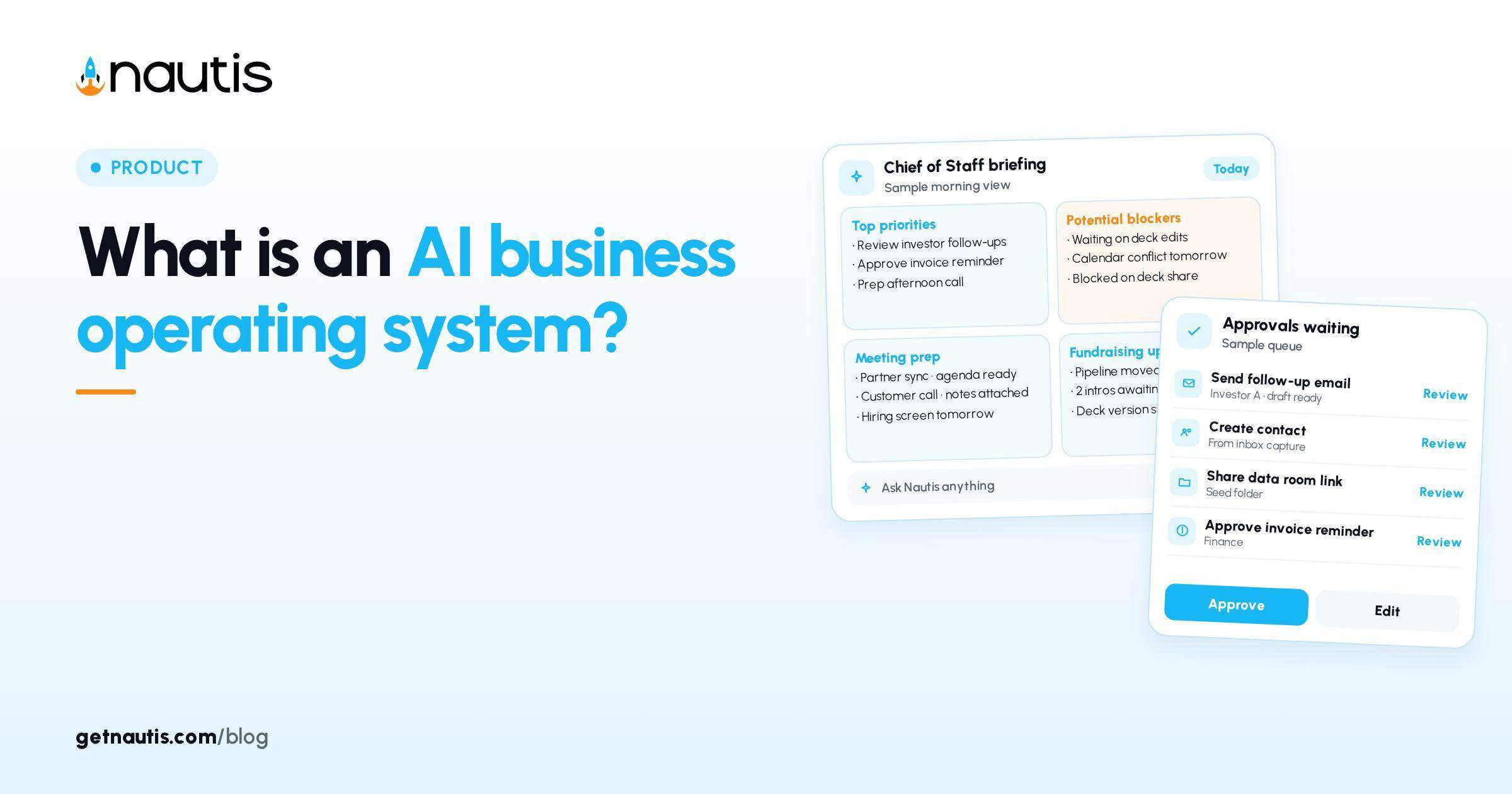
An AI business operating system is the stack where company systems of record, inspectable memory, scheduled agent work, and human Approvals share one spine. It is not a smarter chat tab, and it is not a slide that says "we use AI." This post defines the category so you can tell a real OS from a plugin pile, and maps how Nautis implements each layer without claiming the model replaces judgment.
What counts as an AI business operating system
An AI business operating system has five non-negotiable layers. Drop any layer and you still have useful software. You do not yet have an OS.
- Systems of record for the objects that run the company: tasks, pipeline, cash and runway, people, meetings, and fundraising artifacts live in named modules with owners.
- Company memory that a human can inspect, correct, and export, with verified labels on facts that should stick.
- A daily attention surface that ranks what changed, what is blocked, and what needs you, without a fresh paste ritual.
- Agents that can propose or run work under written autonomy rules, including Ask every time versus Run without asking.
- An audit path so you can prove what ran, what waited, and what a human rejected.
Nautis names this category on the product site: the AI business operating system for startups, with an AI Chief of Staff that runs daily operations and asks before it acts. The Chief of Staff is the operating face of the OS. The modules underneath are still the systems of record. Chat without those modules is not the same thing.
This definition deliberately differs from two neighbors. How to build a startup operating system teaches loops, objects, and a four-week build order for any early company OS, AI or not. the AI chief of staff explainer on this blog walks the Briefing, Approvals, and autonomy surface as a feature. Here the question is category shape: when the whole stack earns the AI business operating system label.
Layer map (table, not a shopping list)
Use this table as a diagnostic. Score each row present or missing. The point is honesty, not a purchase checklist.
Layer | Job in the OS | Missing-layer failure | Nautis surface (verified help) |
|---|---|---|---|
Systems of record | One home per object; agents read and write there | Spreadsheet forks and Slack as the CRM | Modules such as Task Boards, Fundraising CRM, Expenses, Meetings |
Verified memory | Durable facts with human gate and source | Model invents policy from a stale chat | Liftoff Review then Memory: Looks right commits verified memory; Not us drops false profiles |
Attention surface | Ranked day without paste | Founder rebuilds priorities from inbox anxiety | Chief of Staff Briefing: Priorities, Blockers, Approvals, Pipeline, Today, Runway |
Gated action | Outside world changes only under rules | Plugin sends before anyone reads | Approval Center; Agent Autonomy Ask every time or Run without asking |
Audit | Prove Auto-ran, Approved, Rejected, Pending | "The bot did something" with no row | AI Governance / AI Activity log for Owners and Admins |
Standing orders | Recurring work without reinventing prompts | Saved prompts that never leave a trail | Routines: scheduled or triggered, still governed |
If four rows are green and Approvals is red, you built a fast way to surprise customers. If Approvals is green and Memory is empty, Briefing will rank noise. The AI business operating system label should fail either case.
Help for Chief of Staff (checked 31 Oct 2026) states the daily Founder Briefing scans the workspace and presents one prioritized list, and that the same home holds the Approval Center and Agent Autonomy settings. That sentence is the attention-plus-gate core of the OS, not a marketing flourish.
Proof tests that marketing copy cannot pass
Run these tests on any product that claims to be an AI business operating system. Pass means you can demonstrate the behavior in a live workspace, not in a pitch deck.
Context proof: Open the morning surface with no paste. Can it name a blocker that lives in a module? In Nautis, Briefing items open their source module when clicked. A chat that needs yesterday's CRM export fails.
Authority proof: Attempt an external write. Does a human see a card before send when the capability is Ask every time? Help wording for Ask every time is that you see the action first and nothing happens until you approve. Run without asking runs on its own and is logged in AI Activity, with undo within 10 minutes where supported. Deleting stays Always asks.
Memory proof: During Set up your Chief of Staff (Liftoff) (checked 31 Oct 2026), Review shows each detail with a source (Website, Deck, Online, or You). Mark public profiles Yes or Not us. Remove untrue lines under What your Chief of Staff will remember. Click Looks right so confirmed lines become verified memory. If the product has no human gate like Looks right, it has chat memory, not OS memory.
Standing-work proof: Create a routine. Routines are standing orders for agents, on a schedule or a workspace trigger, and changes still follow approval rules (see the Routines help article, checked 31 Oct 2026). A saved prompt in a consumer chat is not a routine with an audit line.
Audit proof: Open AI Governance (checked 31 Oct 2026). Filter Auto-ran, Approved, Rejected, or Pending. Every action, automatic or approved, is audit-logged. If you cannot show that row to a co-founder, you do not have an OS you can defend.
Fail two proofs and keep the tool for drafts. Do not rename it an AI business operating system in a board update.
How Nautis maps the layers without owning your judgment
Nautis keeps planning, fundraising, finance, team operations, and daily execution in one workspace. That is the systems-of-record claim. Agents do not invent a second CRM inside chat. They read and propose against the modules you already use.
Chief of Staff is the daily operator: Briefing, Chat, Routines, Memory, Approvals, Notifications, and Settings. Owners and Admins set Agent Autonomy and decide background approvals. A card from your own chat or from Do it is yours to decide, whatever your role. Update permission is enough to mark briefing items done, snooze, or dismiss. That permission split is part of the OS design, not a footnote.
AI Co-Pilot is advisory board chat with module context and credit use. It is counsel-shaped thinking, not the morning attention surface. Treat Co-Pilot answers as drafts until you file the decision in Notes, Task Boards, or the CRM. Treat Approvals as binding once you Approve. Mixing those jobs on purpose is healthier than forcing one pane to do everything.
Liftoff is the short setup that teaches the OS about your company: Your startup, Your tools, Review, Meet your Chief of Staff. Finish Looks right before you blame the model for weak briefings. Empty Memory makes any AI business operating system feel like a chatbot with better typography.
For the feature-level walkthrough of Briefing habits, see the chief of staff explainer linked above. For process loops without the AI layer, stay on the startup operating system build post. This page stays on the category boundary.
Illustrative composites (not real company logs)
The stories below are illustrative composites only. They are not customer case studies.
Illustrative stack A, paste-driven: A two-founder SaaS team uses a consumer chat, a spreadsheet CRM, and calendar invites. Each morning someone pastes pipeline rows and asks for priorities. Investor email drafts leave the chat without an Approval Center. When a contractor asks "what is our discount policy," three chat threads disagree. There is no Looks right moment and no AI Activity row. Calling this an AI business operating system confuses eloquence with control.
Illustrative stack B, OS-shaped: The same stage team finishes Liftoff, marks Not us on a wrong LinkedIn hit, and clicks Looks right. Briefing ranks a Blocker tied to an overdue Task Boards card. A routine wants to send a follow-up; the card waits in Approvals because the capability is Ask every time. An Owner Approves after editing the draft. AI Activity later shows Approved with agent, model, and when. Memory still holds the verified raise status. The illustrative difference is the spine, not the prose quality.
Illustrative failure to avoid: flipping every External capability to Run without asking in week one because Approvals felt noisy. The OS did not fail. The autonomy policy did. Clear Waiting for approval the same day, then loosen only low-risk Internal tidy jobs.
When you do not need the full label yet
You can postpone calling your setup an AI business operating system when you are still picking a system of record for deals, when Memory would only hold guesses, or when no one will clear Approvals the same day. In those weeks, use chat for disposable drafts and keep irreversible sends in human hands. Add layers as the company earns them: freeze duplicate homes first, finish Liftoff Review second, set autonomy defaults third, add Routines fourth.
You should insist on the label when agents can touch email, calendar, or CRM, when investors will ask what ran unattended, or when two co-founders need a shared morning list that is not one person's brain. At that point the five layers are risk control, not fashion.
Re-score the layer table monthly. Promote a tool into the AI business operating system column only when the proof tests pass in your workspace. Demote it the week Approvals pile up unread or verified memory drifts from the deck. The category is earned continuously, not granted by a homepage headline.
Frequently asked questions
What is an AI business operating system?
It is a stack where company systems of record, inspectable verified memory, ranked daily attention, agents under autonomy rules, and an audit log share one spine. A chat tab with plugins is not enough.
How is that different from an AI chief of staff?
The chief of staff is the daily operator surface (Briefing, Approvals, Routines, Memory). The AI business operating system also includes the modules that remain systems of record underneath.
How is that different from a startup operating system?
A startup operating system can be loops and owners without agents. An AI business operating system adds gated agents, verified memory, and audit on top of those systems of record.
Does Nautis replace founder judgment?
No. Looks right, Approve, Reject, and Agent Autonomy are human gates. Treat Co-Pilot as drafts until you file decisions in the modules that own the work.
Sources
- Nautis Chief of Staff help. Checked on October 31, 2026.
- Nautis AI Governance help. Checked on October 31, 2026.
- Nautis Routines help. Checked on October 31, 2026.
- Set up your Chief of Staff (Liftoff). Checked on October 31, 2026.
- How to build a startup operating system. Checked on October 31, 2026.
Baltej Singh is a serial entrepreneur, technology leader, and Founder & CEO of Nautis and DemoVexa, with over 16 years of experience building software products, SaaS platforms, and startups. Previously the Co-Founder & CTO of SanchiConnect, he has worked extensively in the DeepTech startup ecosystem, connecting with 200+ venture capital firms and supporting a network of 4,000+ startups. Passionate about AI, automation, and entrepreneurship, he focuses on building innovative products that solve real-world problems and help businesses grow.


