How to run Startup Health check-ins
 Baltej Singh8 min read
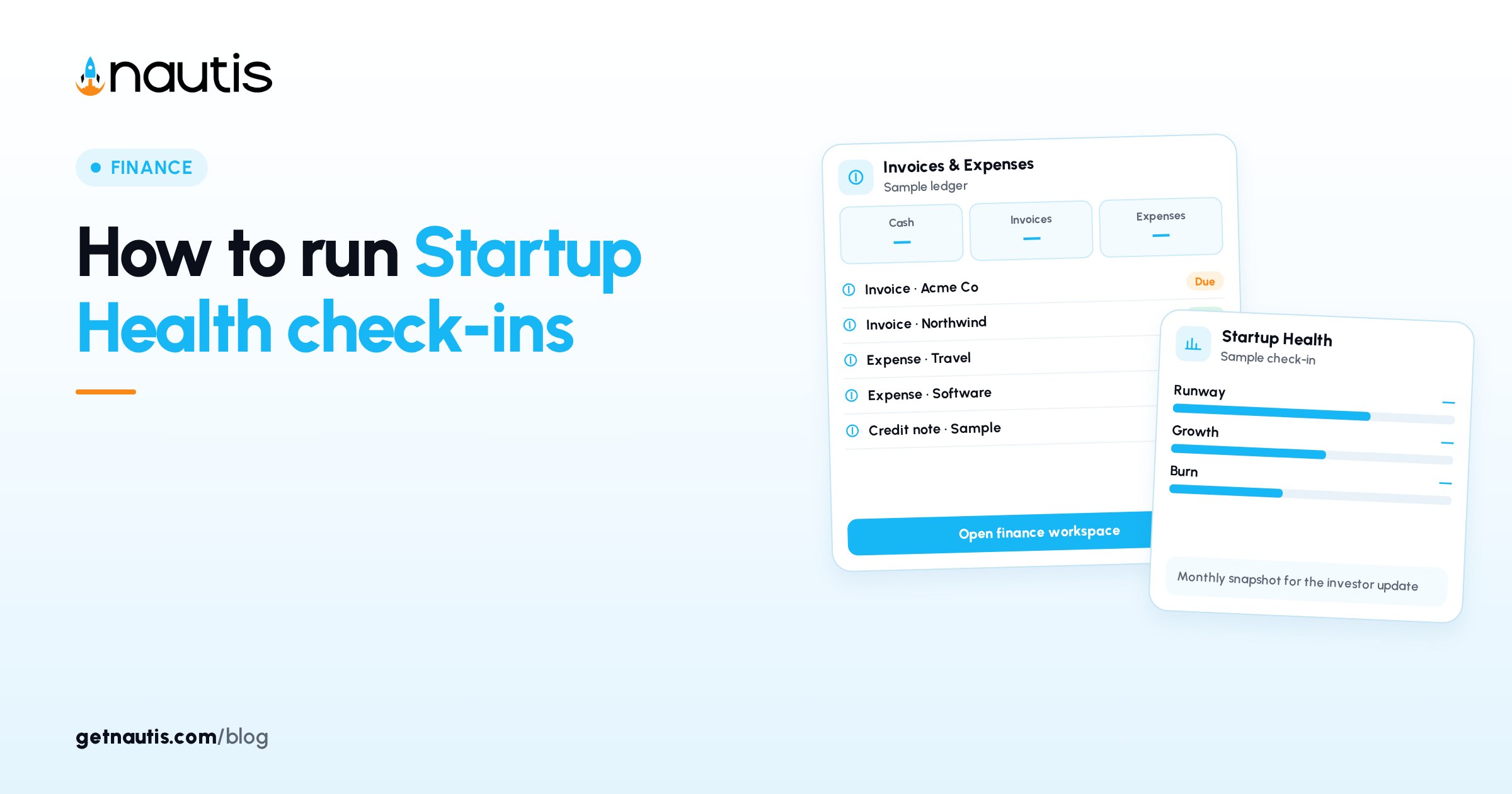
A Startup Health check-in is the monthly capture of Cash Balance, Monthly MRR, and Monthly Burn so Nautis can show runway, growth, burn trend, alerts, and an investor snapshot you can share. Open Finance, then Startup Health. This post is about running that check-in and sharing the snapshot. It is not a burn-rate worksheet and not a full MRR normalization guide. Those topics already have their own posts. Here the job is the monthly Startup Health workflow and investor share. Enter the three fields only after you trust the source bank and billing exports for that month. Guessing to hit a deadline creates alerts you will ignore later. Pull Cash Balance from the same bank account every month so the Cash card trend stays comparable. Switching accounts without a note in Overview creates fake declines on the Cash card.
Why a Startup Health check-in belongs on a fixed day
Trend charts only help when months land in order. Missing months leave gaps; mid-month cash figures skew runway. Pick a recurring day (often the first business day) to enter last month's numbers.
Illustrative miss (composite only): cash taken on the 12th; runway looks fine until month-end balance is entered and alerts fire. Illustrative habit (composite only): calendar block on the first weekday; Other month points at the month that just closed. This month in the dialog means the current calendar month when that option fits your close process; many teams prefer Other month for the month that just ended. Label your calendar reminder with the month you will enter so Other month choices stay consistent across cofounders.
You need create or update permission to add check-ins; read permission views the dashboard. Startup Health must be enabled on your plan. From the sidebar open Finance, then Startup Health, for every update so you are not pasting numbers into a slide first. Slides can quote the dashboard after Save & Update Dashboard, not before. Read permission alone is enough for a cofounder to review cards without editing numbers. Create and update rights should stay with people who own the books close.
Enter Cash Balance, Monthly MRR, and Monthly Burn
Open Startup Health. Click Update Data. In Monthly Founder Check-in choose This month or Other month (then Month and Year). You can record up to last month. Enter:
Cash Balance: bank balance on the last day of the month. Monthly MRR: recurring revenue only (skip one-off sales). Monthly Burn: total spend minus revenue; enter 0 if cashflow positive.
The dialog shows last month's values and percent change as you type. Copy last month pre-fills when a prior check-in exists. Click Save & Update Dashboard. Nautis then opens the Investor Snapshot Editor for that month; polish now or click Back to the dashboard.
Illustrative entry (composite only): Other month March 2026; Cash 420000; MRR 38000; Burn 52000; Save & Update Dashboard.
Input | What to enter | What the dashboard derives |
|---|---|---|
Cash Balance | Month-end bank balance | Cash card with increasing / declining / flat badge |
Monthly MRR | Recurring revenue only | MRR card with growth vs last month (green / amber / red) |
Monthly Burn | Spend minus revenue (or 0) | Burn card with growth or shrink vs last month |
(from the three) | Combined with the inputs above | Runway months at current burn, plus change vs last month |
One check-in per month. Editing updates that month's record. Backfill a missed month with Other month so Analytics trends stay continuous. Copy last month is a starting point. Still confirm Cash Balance against the bank before Save & Update Dashboard. Monthly Burn at 0 means you were cashflow positive that month, not that you forgot to type spend. Illustrative burn (composite only): spend 70000, revenue 70000, Burn 0; runway math still uses the prior pattern when burn returns. When burn returns after a zero month, expect Runway and alerts to move sharply. Read Analytics before you dismiss the strip.
Read hero cards, alerts, History, and Analytics
Hero cards show Cash Balance, Monthly MRR, Monthly Burn, and Runway. The alerts strip flags issues such as runway below 6 months, negative MRR growth, or rising burn. Dismiss with X for the session; thresholds are built in and not user-configurable. Treat a dismissed alert as unread homework, not a cleared risk. Compare percent-change badges on Cash, MRR, and Burn before you write Overview prose. Colour on Monthly MRR (green / amber / red) is a cue to open Growth in the snapshot with a real explanation. Flat cash with rising burn deserves a Burn section note even if MRR looks healthy.
History lists every check-in. Analytics plots all four metrics on one chart. Use the eye icon to Show or Hide the intro section; preference is remembered.
Illustrative read (composite only): Runway 8.1 months, down from 9.4; alert on burn up; open Analytics before the board call.
Edit a past row with the pencil icon, then Save & Update Dashboard. Delete Check-in confirms and removes the linked investor snapshot for that month. After a snapshot is shared, a check-in can finalize and lock inputs as read-only. Plan edits before you share if numbers might still move. History remains the audit trail of what you entered. Analytics is for shape over time, not for reinventing a single month. Do not delete a check-in to hide a bad month. Edit if still editable, or explain it in Overview. Delete Check-in is for true mistakes, not for optics, because it also removes the snapshot.
Build the Investor Snapshot from the same month
From History click View, or continue after save. Investor Snapshot Editor shows MRR, Burn, Runway, and Cash at the top. Fill Overview, Execution (+ Add items), Growth, Burn notes, Team, and Focus next month. Save. Defaults load from metrics so you edit a draft, not a blank page.
Illustrative snapshot (composite only): Overview names the burn rise; Execution lists two shipped launches; Focus next month lists hiring freeze and pricing test.
This narrative sits on top of the check-in numbers. Keep definitions consistent with how you entered MRR and Burn. Growth and Team sections should match reality even when metrics look fine. Execution items should be concrete enough that an investor can ask a follow-up without guessing. Focus next month should list a few priorities, not a second roadmap dump. Team size and open roles in Team should match what you would say on a hiring update call.
Preview and share without requiring a Nautis login
Preview renders the investor view. Download PDF for a portable copy. Share Snapshot offers Share via Link (tracked URL, Expiry never / 7 days / 30 days / custom, optional Allow history) or Share via Email through Nautis email with the same settings. Recipients open a public view without an account. Revoke links anytime. Allow history lets one link navigate prior months. Share via Email when you want delivery logged through Nautis email instead of pasting a URL yourself. Expiry never is for trusted ongoing updates. Prefer 30 days when the recipient only needs one meeting cycle. Download PDF when someone wants an attachment in their own data room. The live link stays better for Allow history browsing. Preview before every Share Snapshot so formatting surprises show up on your screen first.
Illustrative share (composite only): Share via Link, Expiry 30 days, Allow history on; revoke after the update call.
Deleting the check-in deletes that month's snapshot and breaks active links for the month.
Keep definitions stable month to month
Use month-end cash, recurring-only MRR, and spend-minus-revenue burn (or 0). Do not redefine MRR mid-year without noting it in Overview. For deeper MRR roll-forwards or burn algebra, use your worksheet process first, then enter the three fields here. Startup Health stores the agreed monthly figures, not every invoice line. If invoices and expenses change after you shared a snapshot, update the check-in only when the month is still editable, then reshare if needed. Locked months stay locked; do not fight the finalize state after a share. If you must correct a locked month, follow product guidance or support rather than creating a duplicate month.
Illustrative discipline (composite only): same bank account for Cash each month; one-off projects stay out of Monthly MRR.
A Startup Health check-in works when the three inputs are honest, alerts are read before they are dismissed, and shared snapshots match History. Recheck Expiry on open investor links after each new month so old URLs do not linger past their useful life. Allow history only when prior months are also ready for outside eyes. A Startup Health check-in habit is working when six straight months sit in History with matching snapshots you would still defend. That streak is the point of the fixed-day ritual described above. Skip the ritual and Analytics becomes a sparse chart you stop opening the next quarter.
Broader docs sit in the Help Center. Related money tools include Expenses and Invoices when you need underlying transactions.
Sources
- Nautis Help Center, Startup Health: https://getnautis.com/help-center/finance/startup-health (checkedOn 2026-10-31)
- Nautis Help Center, Expenses: https://getnautis.com/help-center/finance/expenses (checkedOn 2026-10-31)
- Nautis Help Center, Invoices: https://getnautis.com/help-center/finance/invoices (checkedOn 2026-10-31)
Frequently asked questions
What if I miss a Startup Health month?
Open Update Data, choose Other month, pick the missing month, enter the three fields, and save so Analytics stays continuous.
Can I change alert thresholds?
No. Low runway, negative growth, and ballooning burn rules are built in. You can dismiss the alert strip for the session only.
Do investors need a Nautis account to view a snapshot?
No. Share via Link or Share via Email opens a public view. Expiry and Allow history settings still apply.
What happens if I delete a check-in?
That month's investor snapshot is deleted and active share links for the month stop working.
Sources
- Nautis Help Center, Startup Health. Checked on October 31, 2026.
- Nautis Help Center, Expenses. Checked on October 31, 2026.
- Nautis Help Center, Invoices. Checked on October 31, 2026.
Baltej Singh is a serial entrepreneur, technology leader, and Founder & CEO of Nautis and DemoVexa, with over 16 years of experience building software products, SaaS platforms, and startups. Previously the Co-Founder & CTO of SanchiConnect, he has worked extensively in the DeepTech startup ecosystem, connecting with 200+ venture capital firms and supporting a network of 4,000+ startups. Passionate about AI, automation, and entrepreneurship, he focuses on building innovative products that solve real-world problems and help businesses grow.