How to keep a daily shutdown ritual for founders
 Baltej Singh8 min read
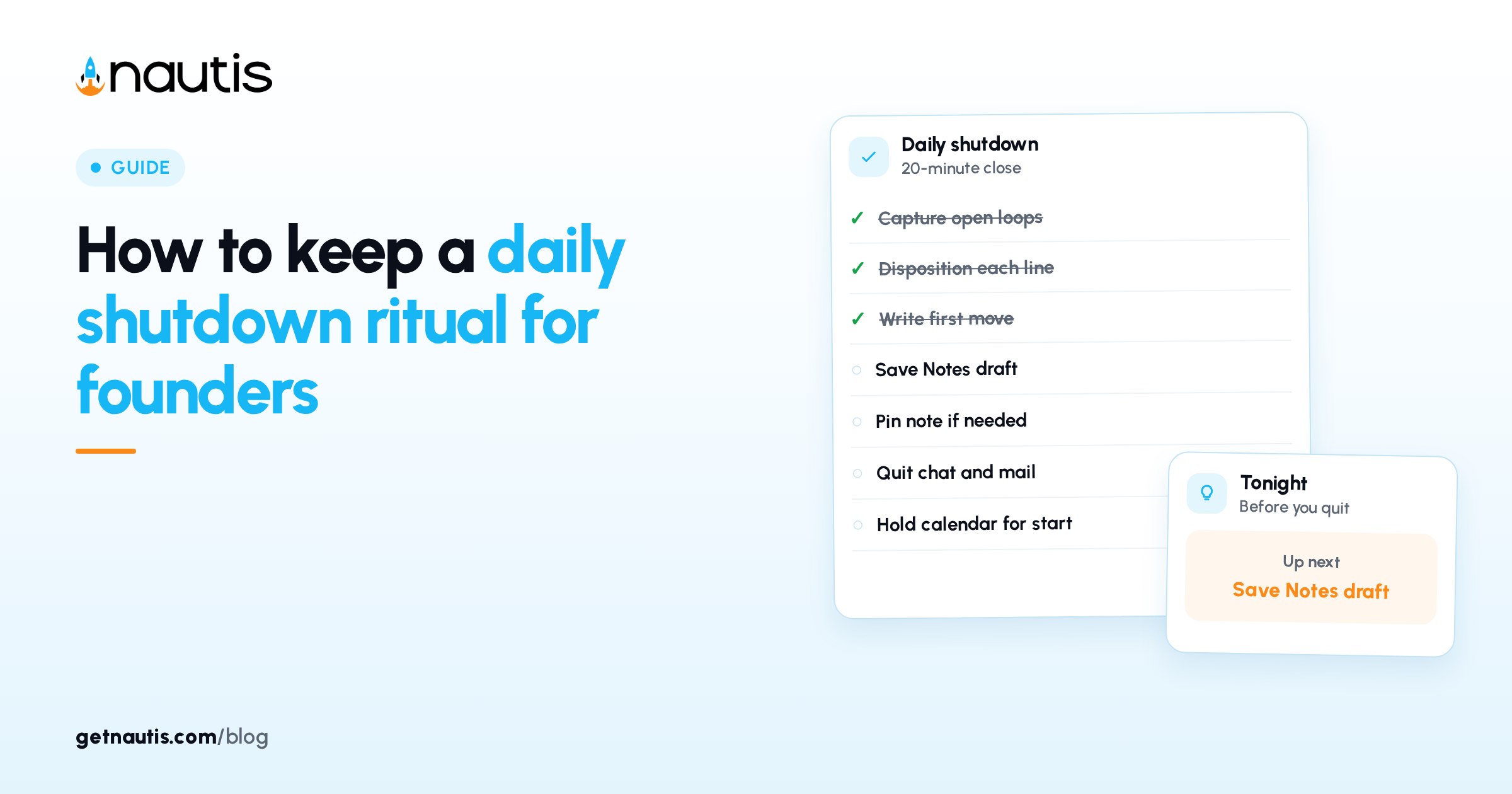
A daily shutdown ritual for founders is a short, timed close to the workday: park open loops, write tomorrow's first move, and leave the tools. It is not inbox zero and it is not another status meeting.
Twenty minutes is enough when the steps are fixed. Stretching the ritual into an hour usually means you are still doing afternoon work under a new name.
Why a daily shutdown ritual for founders beats "one more thing"
Open loops steal sleep and Monday mornings. A shutdown ritual names each loop and parks it with a next action or a deliberate discard. Founders who skip the close carry unfinished context into the evening and pay for it with shallow focus the next day.
Illustrative miss (composite only): Slack stays open until 23:00; three "quick" threads; no written first move; morning starts in reactive chat.
Illustrative win (composite only): 17:40 timer; loops parked in Notes; tomorrow's first move titled; laptop closed.
YC essential startup advice favors focus over process theater. Keep the ritual short enough that you still run it on hard days.
Hard days are the point. If the ritual only happens when the calendar was light, it is a hobby, not an operating habit.
Protect the twenty minutes on the calendar like a customer call. Optional shutdown blocks disappear the first week you fall behind on outbound.
Run a fixed minute sequence, not a mood-based wind-down
Use this table as the sequence. Stay inside the minute boxes.
Minutes | Move | Done looks like |
|---|---|---|
0-3 | Capture open loops from memory and open tabs | Bullet list of unfinished asks, no sorting yet |
3-8 | Disposition each loop | Each line has next action, owner, or discard |
8-12 | Write tomorrow's first move | One concrete start, not a theme |
12-16 | Park the note and pin if needed | Note saved in Notes with a clear title |
16-20 | Close channels | Chat, mail, and calendar alerts off or quit |
Illustrative sequence (composite only): six loops captured; four dated; two discarded; first move "draft pricing FAQ outline"; note pinned; Slack quit.
If you blow past twenty minutes, stop and schedule leftover deep work for tomorrow. The ritual fails when it becomes a second shift.
Travel days still count. A ten-minute capture and one first move beat skipping the close entirely.
If you only have ten minutes, keep capture, disposition, and first move. Skip folder housekeeping and channel cosmetics until you are back at a desk.
Capture loops in Notes so they survive the night
Open Notes under Profile & Company. Click Add Note for a Draft note, title it with the date plus "shutdown", and write the loop list in the body. Use / for headings or lists if that speeds capture. Click Save so you see Note saved.
Keep titles boring and dated so the left-pane list sorts cleanly. Clever titles hide last Tuesday's parked refund loop when you need it on Thursday.
Put shutdown notes in a folder such as Daily shutdown via Manage folders and the folder chip under the title. Toggle Pin note in Note settings if you want it at the top of the list next morning. Status can stay Draft for personal use; set Published only when teammates should read it.
Illustrative note (composite only): title "2026-11-01 shutdown"; tags "shutdown, focus"; Executive summary "3 loops parked, first move FAQ"; Pin note on overnight.
Tags stay under the Note settings limit (comma separated, max 20). Use one stable tag such as shutdown so search stays boring and reliable.
Creating notes needs create rights; editing needs write rights. If Add Note is disabled, you hit a monthly note limit or Notes is disabled for the org. Do not move the ritual into a random chat thread when that happens; clear the limit or use an allowed note the next day.
Search prior shutdown notes with the left-pane search when you need to recover a parked loop from earlier in the week. Filter All notes, Drafts, Published, or Archived when the list gets noisy. Archived notes stay findable; do not delete a shutdown note until the loops are truly dead.
Refresh the list if a teammate shared a handoff note into your view while you were writing.
Disposition loops without inventing a second task system
For each captured line, pick one disposition: do in two minutes, schedule with a date, hand to a named owner, or discard. Write the disposition on the same line. Vague "later" lines recreate tomorrow's pile.
Do not open your full project board during shutdown if that restarts planning. The daily shutdown ritual for founders parks loops; it does not re-plan the quarter.
If a loop reveals a missing owner on a shared commitment, write the owner name and stop. Ownership debates belong in tomorrow's first meeting block, not in the shutdown timer.
Customer-risk loops (refunds, outages, legal) get a dated next action even if everything else is discarded. Shutdown is not permission to forget safety work.
Illustrative disposition (composite only): "vendor reply" scheduled tomorrow 10:00; "blog idea" discarded; "refund exception" owned by CS lead; "tax packet" dated Friday.
Discard is a decision. Move discarded ideas to a separate someday note only if you truly revisit that note monthly; otherwise delete the line and free attention.
If a loop needs a teammate, name them in the note. Silent handoffs in your head are not handoffs.
Write one first move for tomorrow, then stop
Tomorrow's first move should be startable without a meeting. Prefer a verb and an artifact ("outline FAQ section 2") over a vibe ("be strategic"). Put that line at the top of the shutdown note or in the Executive summary field under Note settings.
If the first move depends on someone else, rewrite it into a chase action you control ("email Ana for the CSV") or park the dependency with a date instead of pretending you can start deep work.
Optional: if your organization enabled Evening debrief on Chief of Staff Briefing (off by default at 5:00 pm local), you can read "what moved today, what's first tomorrow" as a prompt, then still write your own first move in Notes (Chief of Staff). Do not wait for the debrief if it is disabled; the Notes ritual stands alone.
Owners and Admins enable evening debrief for the organization; it is not a personal toggle for every member. Treat it as a supplement when present.
Illustrative first move (composite only): "Write three FAQ answers for pricing objections"; not "think about pricing".
Block fifteen to thirty minutes for that first move on tomorrow's calendar before you quit chat. A first move without a calendar hold is a wish.
Close the channels so the ritual actually ends
Quit or mute chat, mail, and non-critical calendar alerts after the note is saved. A shutdown with Slack still badging is a costume.
Share the note only when someone else must see the handoff: use Shared access in Note settings for teammates inside Nautis, or the share icon for an external link with optional password and expiry. Most nights the note stays private.
Illustrative close (composite only): note saved; Slack quit; phone on focus mode; calendar shows tomorrow's first move block at 9:00.
If you must leave a channel open for on-call duty, name that exception in the shutdown note so it is conscious, not accidental.
Run the same sequence for two weeks before you redesign it. If you skip more than two nights a week, shorten the table rather than adding steps.
Cofounders can share a folder of shutdown notes without sharing every private loop. Use Shared access only on notes that contain real handoffs.
External share links with passwords and expiry dates are for rare partner handoffs, not for nightly personal loops. Prefer private Draft notes for the default ritual.
Keep the ritual boring so it survives busy weeks
Busy weeks are when founders drop shutdowns first. Pre-decide that the twenty-minute sequence still runs after demos, travel, late support, or board prep. Boring repetition beats a perfect template you abandon.
Illustrative stress week (composite only): two customer calls run late; ritual still starts at 18:10; capture five loops; first move set; channels closed by 18:30.
If a cofounder owns night on-call, alternate who writes the shared handoff note. Personal loops stay in private Draft notes; only true handoffs use Shared access.
Review your last ten shutdown notes once a month. If the same loop appears five times without a disposition that sticks, escalate it into the weekly planning block instead of re-parking it nightly.
Export to PDF or Word only when you need an offline archive; the living ritual should stay in Notes so search and Pin note keep working.
When you reopen the pinned note in the morning, spend one minute rewriting the first move if reality changed overnight. Then unpin yesterday's note or Archive it so the list does not fill with stale pins.
Illustrative morning handoff (composite only): unpin "2026-11-01 shutdown"; start the FAQ outline block; leave new loops for tomorrow's ritual instead of reopening Slack early.
Broader docs sit in the Help Center. See also pricing if Notes limits block Add Note on your plan.
Frequently asked questions
How long should a daily shutdown ritual for founders take?
About twenty minutes with a fixed sequence. If it regularly runs longer, you are still doing afternoon work. Cap the timer and park leftovers for tomorrow.
Where should shutdown loops live?
In Notes under Profile & Company. Create a dated Draft note, Save it, and optionally park it in a Daily shutdown folder with Pin note for the morning.
Do I need Evening debrief enabled?
No. Evening debrief on Chief of Staff is optional and off by default. The Notes-based shutdown stands alone; use the debrief only as an extra prompt when your org enables it.
What if Add Note is disabled?
You may have hit a monthly note limit or Notes may be disabled for the organization. Clear the limit or re-enable the feature rather than moving the ritual into chat.
Sources
- Nautis Help Center, Notes. Checked on November 1, 2026.
- Nautis Help Center, Chief of Staff. Checked on November 1, 2026.
- Y Combinator, Essential startup advice. Checked on November 1, 2026.
Baltej Singh is a serial entrepreneur, technology leader, and Founder & CEO of Nautis and DemoVexa, with over 16 years of experience building software products, SaaS platforms, and startups. Previously the Co-Founder & CTO of SanchiConnect, he has worked extensively in the DeepTech startup ecosystem, connecting with 200+ venture capital firms and supporting a network of 4,000+ startups. Passionate about AI, automation, and entrepreneurship, he focuses on building innovative products that solve real-world problems and help businesses grow.