How to set clear decision rights on small teams
 Baltej Singh9 min read
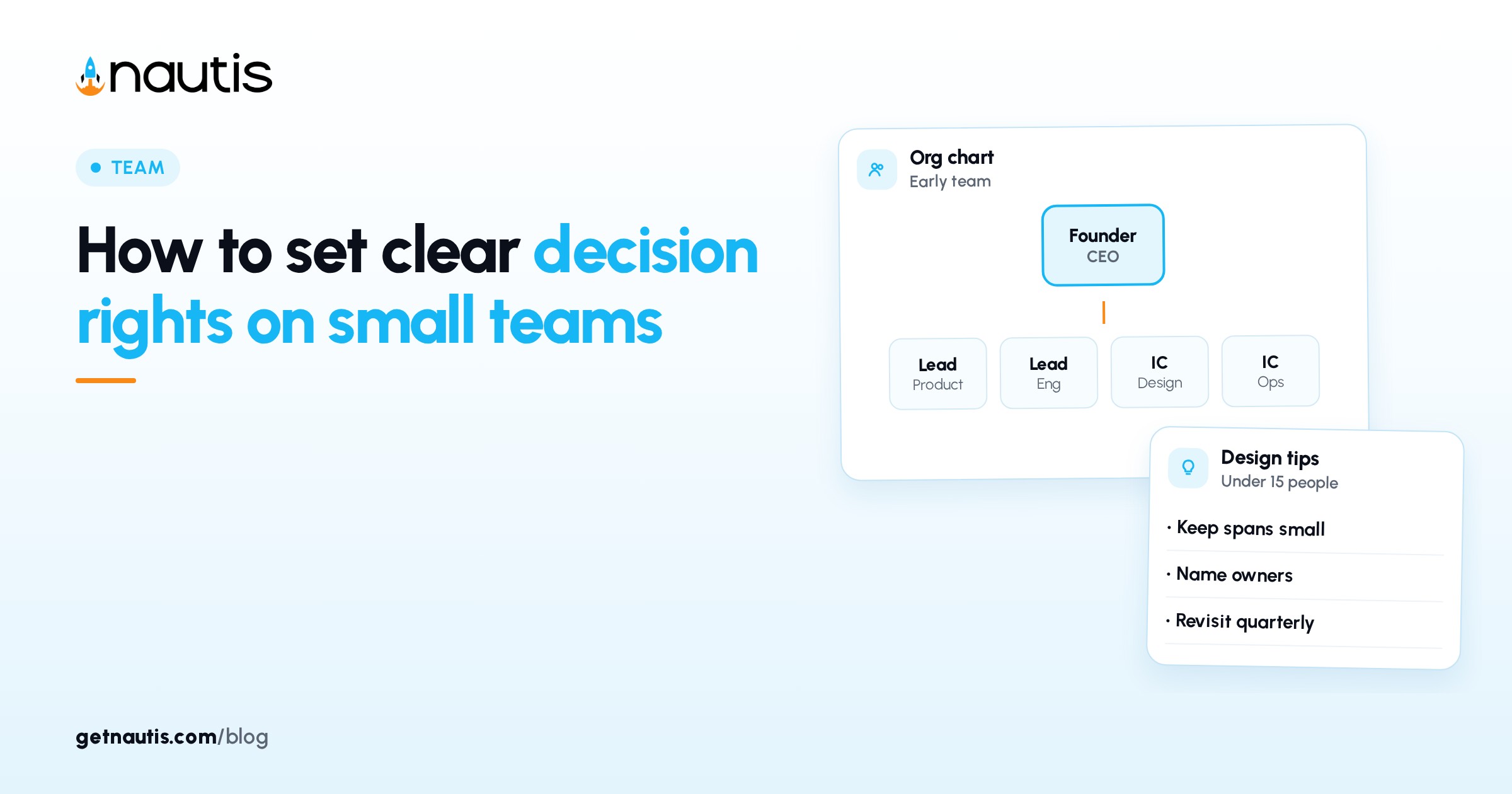
How to set clear decision rights on small teams starts with named classes of decisions, not with new job titles. Decision rights on small teams are the rules for who may decide what without a meeting. When every call waits for the founder, the company slows. When anyone may decide anything, trust erodes.
Write classes, a single decider, who must be told, and whether the call needs a written record. Revisit the page when headcount or product shape changes.
How to set clear decision rights on small teams
A full RACI (Responsible, Accountable, Consulted, Informed) grid for a six-person company is ceremony. You need six to eight classes that cover the waits you already feel: refunds, vendors, offers, pricing, and legal commitments.
YC essential startup advice favors focus and clear ownership over process theater (Y Combinator Library, checkedOn 2026-11-01). Decision rights on small teams follow that pattern: fewer open loops, named owners, faster loops.
Illustrative miss (composite only): five people; every refund, every hire, and every vendor pick still needs a founder Slack reaction; average wait is two days.
Illustrative win (composite only): a one-page rights map; refunds under a set limit owned by Support lead; hire offers owned by the hiring founder with a named backup; vendor picks under a monthly spend owned by Ops.
If the map does not change who acts tomorrow, rewrite it. A poster that mirrors the org chart without classes of decisions is decoration. Write the date you last edited it at the top so stale pages do not linger like unread handbooks.
Skip personality notes such as "Alex is careful." Rights attach to roles, not moods. If two cofounders disagree on a class, write the temporary decider and a review date for that row instead of leaving the cell blank.
What to write down for each type of decision
Decision class | Who decides | Who must be told | Written record? |
|---|---|---|---|
Day-to-day ops under a stated spend or risk limit | Named role closest to the work | Owner of the related metric | No, unless it sets a new precedent |
Customer exception inside published policy | Support or CS lead | Founder on a weekly digest | No |
Customer exception outside policy | Founder or named exec | CS lead same day | Yes, if it changes policy |
Hiring offer, terminate, or equity grant | Hiring founder or CEO | People ops backup | Yes |
Pricing, packaging, or contract template change | Founder who owns revenue | Product and Finance leads | Yes |
Legal, safety, or IP commitment that binds the company | CEO with counsel | Board or advisors as required | Yes |
Illustrative matrix use (composite only): two founders fill the six rows in forty minutes; publish in the team wiki; pin the link in the hiring and refund channels.
Share the draft with one operator before you call it final. A five-minute walkthrough catches missing classes faster than a polish pass alone.
If a class is still "ask in chat," you do not have rights yet. Replace the chat habit with a named role or a spend limit. Founders often wait for a painful week before writing rights. That is fine. Still use the four fields so one bad week does not create twenty vague rows.
Spend and risk limits belong in the class text for day-to-day ops so people do not invent their own ceilings. A limit with no owner is still a founder queue.
Where founder bottlenecks hide on a five-person team
Bottlenecks rarely announce themselves as "we lack decision rights." They show up as wait times: offers stuck in a DM, refunds waiting on a flying founder, vendors chosen in a thread that lost the receipt.
Map the last two weeks of escalations. Each escalation that was not a true conflict between owners is a missing or vague row.
Illustrative scan (composite only): eleven founder pings; seven were under a limit someone else could have owned; two were outside-policy exceptions; two were hire offers that correctly needed a founder.
Do not fix bottlenecks by adding meetings. Fix them by moving the class to a named role with a notify list. Meetings stay for conflicts between two named owners and for calls that bind the company in a lasting way.
When someone escalates a call that already has a row, ask which row they thought applied. Escalation without a matching row means the matrix is incomplete, not that the person failed.
When a day-to-day call under a limit goes wrong, fix the limit or the training first. Changing ownership every week teaches people to ignore the page.
One owner and one backup per class
Two owners for the same class recreate the founder bottleneck. Pick one role as decider and one as backup for leave and overload. Write roles the same way they appear in hiring plans so people can find the current holder without guessing.
Illustrative ownership (composite only): Pricing class owned by CEO; backup is Head of Sales; Product may propose; Finance must be told before publish.
When two classes collide, the class that binds the company longer wins until you rewrite the rows. Do not resolve collisions in emoji reactions.
Train new hires on the matrix in the first week. A fifteen-minute read with two example tickets beats a vague "ask if unsure" line in the offer email. Put the matrix link in offer letters and contractor kickoffs so new people do not inherit the ask-everywhere habit. Rights that only living founders know are not rights.
Cap the page at one screen. Six to eight classes beat twenty vague rows. Link longer policy docs instead of stuffing them into the rights map. Put history in a dated changelog at the bottom.
Illustrative cut (composite only): twelve-row matrix with overlapping hire and contractor rows becomes six rows with clear spend and equity gates.
Rehearse once with the team: read each class aloud and name the current holder. Broken names count as a failed rehearsal until fixed.
Illustrative rehearsal (composite only): six classes read aloud; one wrong name fixed on the spot; backup for pricing filled before the meeting ended.
When a call belongs in Decision Loop
Rights tell people who may act. A short journal tells you later whether a high-stakes call worked. Use the Written record column for offers, equity, pricing template changes, outside-policy exceptions that set precedent, and legal or IP commitments. Skip journaling routine ops that already sit inside a published limit.
In Nautis, that journal is Decision Loop under Health & Wellness. Click + Add decision. The Log a decision dialog tracks required fields with a progress bar: Decision title, Category (Hiring, Product, Sales, Finance, Strategy, Tech, or Marketing), Confidence level (Low, Medium, or High), and Review timing (30, 60, or 90 days). Set Reversible? to match how hard the call is to undo. Optionally link one milestone, use Use template for category prompts, and fill Short reasoning, Key assumptions, and Expected outcome. Click Save decision. The row lands on Timeline as Pending review.
Anyone with Decision Loop read permission can view the log; adjust Members & Roles if you want founder-only. When Review due appears, open Review, pick an Outcome (Better than expected, As expected, or Worse than expected), add a Reflection, and Save review. Reviewed decisions lock so hindsight cannot rewrite the past.
Illustrative log (composite only): title "Approve out-of-policy refund for enterprise logo"; Category Sales; Confidence Medium; Review timing 30 days; Expected outcome "No repeat exception requests in thirty days."
Help text aims for at least two logged decisions a week so Insights has signal. Log calm Product and Sales calls too, not only disasters, or Confidence vs outcome skews toward crisis weeks. Keep Expected outcome concrete: a metric, a date window, or an observable customer behavior. Soft hopes belong in Short reasoning.
If Burnout Radar is high on a call that binds the company, take the 24- to 48-hour pause warning seriously. Logging still works; the warning is a nudge to slow down. Open Insights later for Confidence vs outcome by Category, and use that signal to tighten which classes must be logged.
This post is about who may decide. The companion habit of journaling outcomes lives in Decision Loop help and in related guides; do not turn the rights page into a second journal manual.
Put the map next to the work and refresh it on org changes
Publish the matrix where work starts. A rights page that lives only in a strategy folder will not be opened during a refund or an offer. Pin it in the channels that see exceptions. Link it from the hiring checklist and the vendor request path.
Refresh the map when you hire a manager, open a new customer channel, change pricing, or create a new spend category. A calendar-only pass with no org change is optional; edits tied to real changes keep the page honest.
If nobody used a class for ninety days, archive or merge it. Volume of rows is not a maturity metric.
Illustrative refresh (composite only): first support hire joins; refund class moves from founder to Support lead with a dollar limit; outside-policy row stays founder-owned; Decision Loop catches the first out-of-policy case the same week.
Measure success by whether a second person completes a limited ops call without a founder ping, and whether binding calls show up on Timeline with Expected outcome filled. An empty log for hire and pricing classes is a signal that people are deciding in chat again.
Do not launch a full RACI program, a titles ladder, and a journal habit on the same day. Publish the four-field map for the waits you already have, then widen classes only when a new wait appears.
List the binding classes once a month next to who last logged one. The list is a roster, not a second wiki.
Broader product docs sit in the Help Center. Plan limits for related modules appear in-product; see pricing for plan context.
Frequently asked questions
What are decision rights on small teams?
Named rules for who may decide each class of call without waiting on group chat. Each row lists the class, the decider, who must be told, and whether to journal the call.
Do we need a full RACI?
No. Six to eight classes on one screen beat a large RACI. Add rows only when a real wait or collision appears.
How is this different from a decision journal?
Rights say who may act. A journal records what you chose and what happened later. Use Decision Loop for binding or precedent-setting calls, not for routine ops inside a published limit.
Where should we publish the rights map?
Next to the work: hiring checklist, refund channel, vendor path. Refresh it when you hire a manager, change pricing, or add a spend category.
Sources
- Y Combinator, Essential startup advice. Checked on November 1, 2026.
- Nautis Help Center, Decision Loop. Checked on November 1, 2026.
Baltej Singh is a serial entrepreneur, technology leader, and Founder & CEO of Nautis and DemoVexa, with over 16 years of experience building software products, SaaS platforms, and startups. Previously the Co-Founder & CTO of SanchiConnect, he has worked extensively in the DeepTech startup ecosystem, connecting with 200+ venture capital firms and supporting a network of 4,000+ startups. Passionate about AI, automation, and entrepreneurship, he focuses on building innovative products that solve real-world problems and help businesses grow.