How to write a startup job description
 Baltej Singh8 min read
How to write a job description that a stranger can use to decide whether to apply starts with outcomes, not with a pile of buzzwords. Name the work the person will finish in the first ninety days, the skills you will actually test, and the employment details you are willing to publish. Then put that text into Jobs & Recruitment so the careers page matches the interview loop. This post stays on the description itself. For the wider first-seat decision, see How to hire your first employee.
How to write a job description candidates can check against reality
A useful description answers three questions in plain language: what success looks like, what you will screen for, and how the job is structured (type, place, pay band). If a candidate cannot tell whether they should apply after one careful read, the draft is not ready.
Write for the person who will do the work, not for a board slide. Cut slogans about "rockstars" and empty energy adjectives. Keep verbs tied to shipping, supporting customers, closing deals, or keeping systems healthy.
Illustrative opener (composite only): "You will own weekly product cuts for our checkout flow, pair on production incidents, and leave written notes the same day a blocker appears."
Keep legal classification honest. If the seat is an employee role, say so through Job Type and Workplace Type rather than mixing contractor language into the same paragraph. SBA guidance on hiring and managing employees walks through payroll setup, employee versus contractor questions, and related compliance basics; treat that as orientation and confirm details with counsel or a payroll advisor for your state.
Lock outcomes before you open Create New
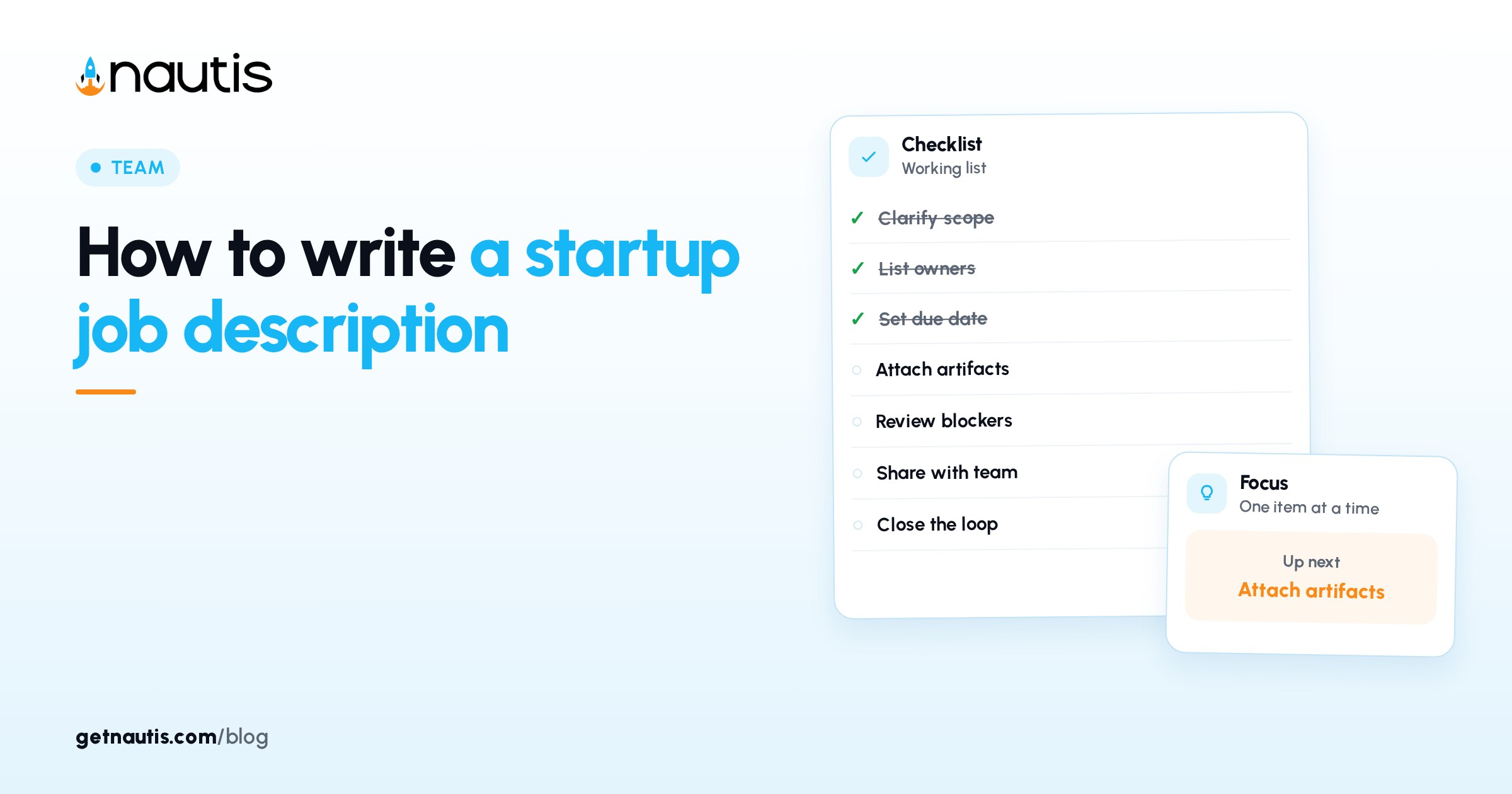
Before you click Create New, write five to eight outcomes you expect in the first ninety days. Outcomes are observable results, not personality traits. "Ships two customer-facing improvements per month with a short postmortem" beats "passionate about product."
Illustrative outcomes list (composite only):
- Triage inbound support tickets under a published SLA.
- Document the top ten product questions in a shared FAQ.
- Pair with engineering on two severity-one incidents.
- Propose one self-serve help change backed by ticket data.
Those lines become the spine of the Job Description field. Skills and experience years support the outcomes; they do not replace them.
If two founders disagree on outcomes, stop. Publishing a compromise description that neither of you believes wastes every applicant's time. Agree on the seat, then open the form.
A short scorecard that lists the same outcomes helps interviews stay consistent later. Keep that scorecard internal for now. The public description should echo the outcomes without turning into an interview script.
Fill each posting field with words you can defend
The creation form groups required and optional fields. Fill them as if a candidate will screenshot every line.
Field | What to write | Avoid |
|---|---|---|
Job Title | The title you will use in offer letters | Inflated titles you will not honor |
Job Description | Outcomes, scope, how success is reviewed | Vague culture poetry with no work |
Number of Positions | The seats you can fund this quarter | A high number "to see what happens" |
Experience Level and years | The band you will actually screen | Years copied from a larger company's post |
Job Type | Full time, Part time, Contract, Internship, or the option that matches | Mixing employee and contractor language |
Workplace Type | On-site, Remote, or Hybrid with city or timezone notes in the description | "Remote" when you require three office days |
Industry | The closest fit for search | Leaving it blank when the list has a match |
Required Skills | Skills you will test in screening or Interview | A laundry list nobody on the panel can assess |
Compensation | Yearly min and max plus Currency, or Hide salary package with a plan | A fake wide band you will never pay |
Application Deadline | A real close date for time-bound campaigns | A deadline you will ignore |
Illustrative title check (composite only): the Job Title is "Support Engineer," the description never says "Head of Support," and the offer letter will match.
Under Attachment you may add a PDF or Word file with extra detail. Use it for a short product overview or benefits summary, not for hiding the real requirements. Candidates who only read the page body should still understand the seat. When Workplace Type is Hybrid, write the office days and the expected overlap hours in the Job Description body. The dropdown alone does not tell a parent in another city whether the seat is workable.
Separate must-haves from nice-to-haves in the text
Most weak descriptions fail by treating every preference as a hard filter. Split the Job Description into must-haves and nice-to-haves so strong people who lack a logo still apply.
Bucket | Put here | Example line (illustrative) |
|---|---|---|
Must-have | Skills and results you will reject without | "Has owned a public support queue for at least six months" |
Nice-to-have | Preferences that help but do not block | "Prior SaaS startup experience is helpful, not required" |
Out of scope | Work this seat will not own | "This role does not own payroll or fundraising decks" |
Illustrative edit (composite only): move "Series B logo" from must-have to nice-to-have when the outcomes are about queue ownership, not fundraising storytelling.
Required Skills in the form should match the must-have list. Custom skills you type are saved for later hires, so name them the same way every time. Do not add seven overlapping labels for one skill.
Experience Level and Minimum / Maximum experience years should support the must-haves. If you set a high year band while the outcomes are junior, candidates will bounce. Align the numbers with the work.
Use Generate as a first draft, not the final voice
Next to Job Description, Generate can draft text from the title, type, and skills. It uses your organization's AI credits. If credits run out, the field still works as a normal editor.
Treat Generate like a rough outline. Paste your outcomes above or into the draft. Delete fluff. Add Workplace Type details the model cannot know, such as which city the On-site days use or which timezones Hybrid expects for overlap.
Illustrative Generate pass (composite only): AI draft mentions "fast learner" three times; you replace those lines with the four ninety-day outcomes and a single must-have skills paragraph.
Owners who skip the edit step publish descriptions that sound like every other startup. Candidates notice. Interviewers then invent private standards that never appeared on the page. Read the draft out loud once. If you stumble on a sentence, candidates will too. Shorten until a tired engineer can finish the page on a phone without rereading the same paragraph.
Save as draft while you edit. Only Published roles appear on the public careers page. A draft is the right home for a description that still has placeholder salary text or missing outcomes.
Publish, share the link, and keep the words honest
When the fields and description match the scorecard, click Publish. The role moves into the Published count and appears on your careers page. Copy Link grabs that page URL (the help center notes the pattern nautis.app/careers/your-organization-slug). Careers Page opens what candidates see.
Illustrative share (composite only): Publish at 10:00, Copy Link into the hiring channel, Careers Page opened once to confirm Workplace Type and salary visibility.
Hide salary package only when you have a reason and a plan to discuss ranges in Interview. Publishing a vague band while interviewing against a narrow number creates distrust. If you show Minimum Salary and Maximum Salary, make sure offers will land inside that band. Currency should match how you pay. Do not list USD on the careers page while payroll runs in another currency without saying so in the description. Confusion here shows up as withdrawn offers later.
Set Application Deadline when the search is truly time-bound. The job auto-closes on that date. If you are not ready to close, leave the deadline empty rather than inventing one.
When the seat fills or pauses, archive the job with a reason. Archived roles leave the careers page but remain under Unpublished, and you can Restore later. Candidates already in Applied, Screening, Interview, Offer, Hired, or Rejected stay in the pipeline until you move them. Archiving does not notify applicants; use Reject on individuals when you need to close them out.
After Hired, Convert to employee can send basic details into Employee Management. That step is easier when the Job Title and description already match the seat you intended.
Review Jobs Analytics for views and applications after a week. If views are fine and applications are empty, the description is usually the problem: outcomes too vague, must-haves too stacked, or Workplace Type mismatched to reality. Edit the posting rather than blaming the channel first. If analytics show many views and few applications after you already tightened must-haves, check whether Hide salary package is on while peers publish bands. Some candidates skip silent postings even when the work fits.
How to write a job description well is mostly honesty under a fixed form. Outcomes first, fields you can defend, Generate as a draft, Publish only when the careers page tells the same story your interviews will use.
Frequently asked questions
Should I write the scorecard or the job description first?
Lock outcomes first. Those lines feed both an internal scorecard and the public Job Description. Do not Publish until the outcomes are stable.
Is the Generate button enough to publish?
No. Generate drafts from title, type, and skills and uses AI credits. Paste your outcomes, remove fluff, and confirm Workplace Type and pay details before Publish.
When should I hide the salary package?
Only when you have a reason and a plan to discuss ranges in Interview. If you show min and max salary, keep offers inside that band and match Currency to how you pay.
Does archiving a job notify applicants?
No. Archiving hides the role from the careers page. Candidates already in the pipeline stay until you advance or Reject them.
Sources
- Nautis Jobs & Recruitment help. Checked on October 31, 2026.
- Nautis Employee Management help. Checked on October 31, 2026.
- SBA: Hire and manage employees. Checked on October 31, 2026.
- How to hire your first employee. Checked on October 31, 2026.
Baltej Singh is a serial entrepreneur, technology leader, and Founder & CEO of Nautis and DemoVexa, with over 16 years of experience building software products, SaaS platforms, and startups. Previously the Co-Founder & CTO of SanchiConnect, he has worked extensively in the DeepTech startup ecosystem, connecting with 200+ venture capital firms and supporting a network of 4,000+ startups. Passionate about AI, automation, and entrepreneurship, he focuses on building innovative products that solve real-world problems and help businesses grow.