
How to write a SaaS onboarding email sequence
 Baltej Singh9 min read
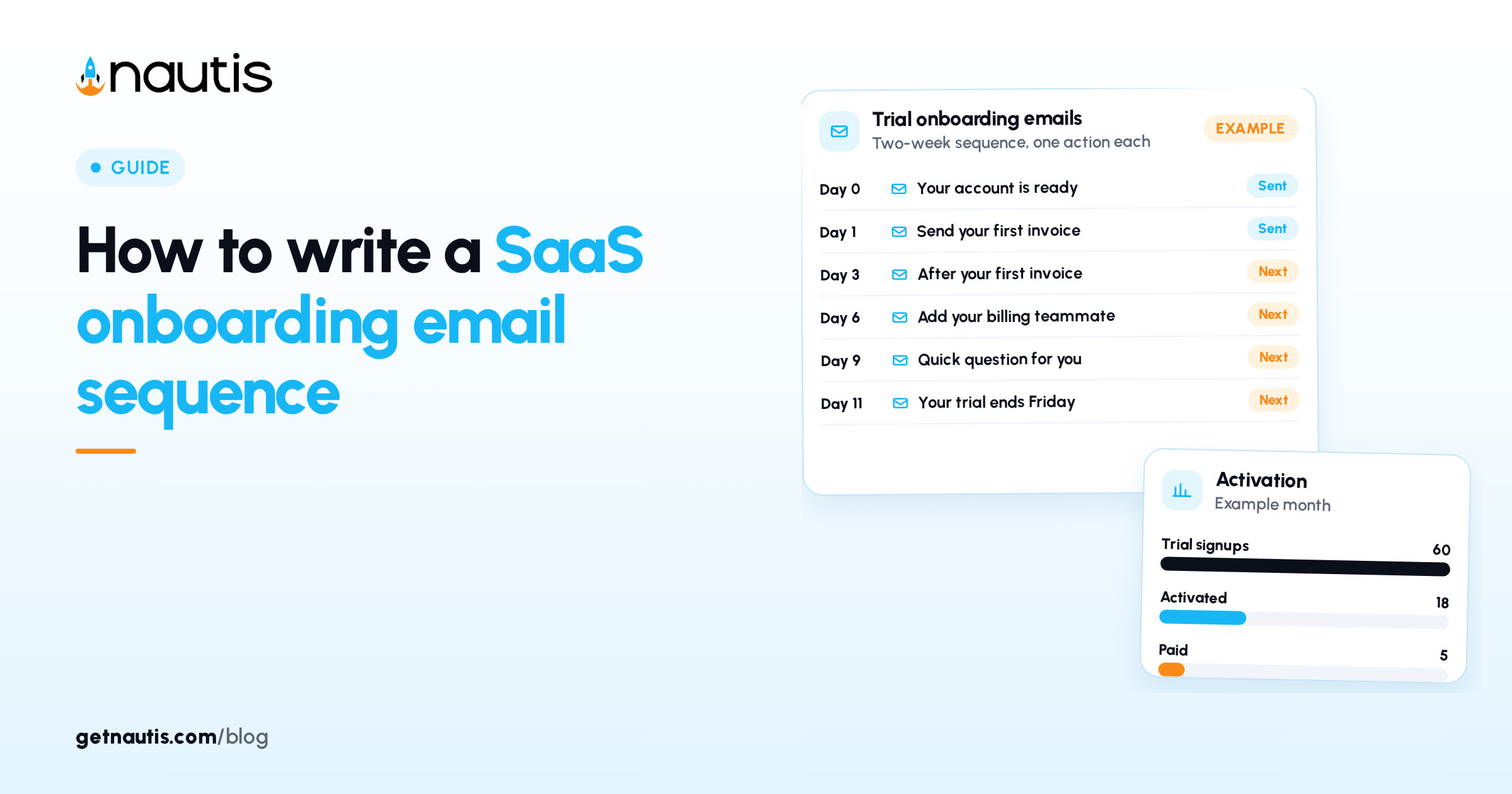
A SaaS onboarding email sequence is a short series of emails that gets a new trial user to one useful result inside your product, then to a habit, then to a buying decision. For most early software as a service (SaaS) products, five or six emails over two weeks is enough, as long as each one asks for a single action and the sequence changes when the user goes quiet.
Most early teams get this wrong in one of two ways. They send nothing after the welcome email and hope the product speaks for itself, or they copy a twelve-email drip from a large company and bury a confused user under feature tours. Both leave the same person stuck at the same empty screen.
Below: how to pick the action the emails push toward, what to send on which day, how to branch for people who stall, and how to measure the result.
What is a SaaS onboarding email sequence?
It is a set of messages triggered by signup that guides a new user from "I created an account" to "this solved something for me". The welcome email is the first message, but the sequence is the plan behind all of them: the order, the timing, the action each one asks for, and the rules for who gets what.
A good sequence has three properties:
- One goal per email. A message that asks the reader to invite a teammate, connect an integration and book a demo usually gets none of the three.
- Behavior over calendar. Someone who finished setup on day one shouldn't get a "need help getting started?" email on day three.
- A person behind it. Plain emails signed by a founder, with a reply address that a human reads, tend to start conversations that a designed newsletter doesn't.
Pick the one result your emails push toward
Before writing a single subject line, decide what "onboarded" means for your product. This is usually called the activation action: the first thing a new user does that shows them the value they signed up for.
Write it as a specific event you can see in your own data. Some examples of how that looks in different products:
Product type (example) | A vague goal | A specific activation action |
|---|---|---|
Scheduling tool | "Gets value from scheduling" | Shares a booking link and receives one booking |
Invoicing app | "Starts invoicing" | Sends a first invoice to a real client |
Analytics product | "Understands their data" | Installs the tracking snippet and views a report with live data |
Team task app | "Uses it with the team" | Creates a project and assigns one task to someone else |
If you aren't sure which action matters, look at users who stayed past their first month and find what they did in their first few days that the others didn't.
Then list the two or three steps that sit between signup and that action. For the invoicing example, that might be adding a business name, adding a client, and creating the first invoice. Each step is a candidate for one email.
The emails to send in a two-week trial
Here is a sequence for a product with a two-week trial. Adjust the days to your own trial length, but keep the order. Subject lines are examples, written to describe the contents plainly.
When it goes out | Goal | Example subject line | |
|---|---|---|---|
1. Welcome | Right after signup | Complete the first setup step | "Your account is ready. Here is step one" |
2. First result | Day 1, if not activated | Reach the activation action | "Send your first invoice in about five minutes" |
3. Second use | Day 3 | Come back and repeat the action | "Two things people do after their first invoice" |
4. Team or depth | Day 6 | Invite a teammate or use a deeper feature | "Add the person who handles your billing" |
5. Check-in | Day 9 | Start a reply or a short call | "Quick question about your first week" |
6. Trial ending | 3 days before trial ends | Choose a plan or say why not | "Your trial ends on Friday" |
Email 1: the welcome
Keep it to a few lines. Confirm the account exists, give one link to the first setup step, and say who is writing. Login details and a list of every feature can wait. For example: "Thanks for signing up. The fastest way to see if this fits is to add your first client. Reply if anything is unclear. I read every reply."
Email 2: the first result
Send this only to people who haven't reached the activation action. Describe the exact screen, the button to press and what they will see when it works. A short screenshot helps more than a paragraph.
Email 3: the second use
People who reached the first result once still need a reason to come back. Show the next most common thing that active users do, and link straight to it.
Email 4: team or depth
For team products, this is the invite email. For single-user products, point to the one feature that makes the product harder to leave, such as a saved template or a connected account.
Email 5: the check-in
This is a plain text message from a founder asking one question, for example: "What were you hoping this would help with when you signed up?" The answers give you buyers' own words, which also help your homepage copy. The guide on landing page conversion basics covers how to use that language.
Email 6: the trial ending notice
State the end date, what happens to their data, and the plan that fits what they have used. Ask anyone who won't continue to reply with the reason. Keep the tone factual rather than urgent.
How should emails change when a user goes quiet?
Branch the sequence on activity, not just on days. A user who signs up and never returns needs a different message from one who used the product daily and then stopped.
A simple rule set covers most cases:
- Signed up, never finished setup. Send email 2, then one more message two days later that offers a 15-minute call or a short video of the setup.
- Activated, then inactive for five days. Skip the feature emails. Send a short note asking whether something got in the way, and link to the screen where they left off.
- Activated and active. Shorten the sequence. Drop the check-in reminders and move straight to the team or depth email.
- Replied to any email. Stop the automated messages for that person and continue the conversation by hand.
The fourth rule matters most. Write down who owns replies and how fast they answer, since a sequence that invites replies has to be staffed. The post on churn reduction basics for early SaaS has more on catching users who are drifting away after they pay.
Which numbers show whether the SaaS onboarding email sequence works?
Open rates are a weak signal, partly because some email apps load images automatically and count as opens. Measure what each email asks the reader to do.
Metric | What it tells you | Example reading |
|---|---|---|
Activation rate | Share of signups who reach the activation action | Example: 18 of 60 trial signups in a month, or 30% |
Click rate per email | Whether the call to action is clear | Example: email 2 gets 12 clicks from 40 sends |
Reply rate on the check-in | Whether users trust you enough to talk | Example: 6 replies from 35 sends |
Trial to paid rate | Whether onboarding leads to buying | Example: 5 paid accounts from 60 signups |
Unsubscribes per email | Whether an email feels unwanted | Example: one email causes most opt-outs |
The figures in the table are examples, not benchmarks. With early volume, compare your own months rather than chasing published averages, and change one email at a time so you can see what moved.
Tag the links in each email so you can see which message drove a click. A consistent scheme such as utm_source=onboarding, utm_medium=email and utm_campaign=email-2-first-result keeps the reports readable. The guide on how to use UTM parameters explains the Urchin Tracking Module (UTM) tags in more detail.
Which onboarding emails count as commercial email?
In the United States (US), the CAN-SPAM Act (Controlling the Assault of Non-Solicited Pornography And Marketing Act) treats emails differently depending on their primary purpose. The Federal Trade Commission's rule at 16 CFR (Code of Federal Regulations) Part 316 describes "transactional or relationship" content, which includes messages about an account or subscription the recipient already has, such as notice of a change in its terms or features, or a change in the recipient's status. Messages whose primary purpose is to advertise or promote a product count as commercial.
For commercial email, the statute at Title 15 of the United States Code, section 7704, requires:
- Header information and a subject line that don't mislead the reader about the contents.
- A working way to opt out, which must keep accepting requests for at least 30 days after the message is sent.
- Honoring an opt-out request within 10 business days.
- Clear identification that the message is an advertisement or solicitation, unless the recipient gave prior affirmative consent.
- A valid physical postal address of the sender.
Onboarding emails often mix account help with selling, especially the trial ending email that promotes a paid plan. The rule says a mixed message can be treated as commercial depending on what the subject line suggests and what appears at the start of the body. Many teams include an unsubscribe link and a postal address in every onboarding email to stay on the safe side.
This section is general information, not legal advice. Check with a lawyer about your own emails, particularly if you send to people outside the US, where different rules apply.
Running the sequence alongside Nautis
The emails go out from whatever sending tool you already use. If your team works in Nautis, these parts help around it, based on the Nautis help center:
- Notes can hold the draft of each email, the activation definition and the branching rules, so changes are reviewed in one place before they go into your sending tool.
- URL Shortener creates short web addresses (uniform resource locators, or URLs) with an Add UTM parameters to URL option, and its Analytics view shows Total Clicks and Human Clicks, which filter out bot visits, for each link.
- Contacts can store the trial users who replied, so a founder can follow up by hand.
- Task Boards can track the weekly review of the sequence numbers and who owns each change.
Start with the activation action and the six emails, run them for a month, and rewrite the one email with the weakest result before adding anything new.
Frequently asked questions
How many emails should a SaaS onboarding sequence have?
For a two-week trial, five or six emails usually covers the welcome, the first result, a second use, a team or depth step, a check-in and a trial ending notice. More emails are fine only if each one asks for a different, useful action. Cut any email that repeats an earlier request.
What is an activation action in SaaS onboarding?
An activation action is the first thing a new user does that shows them the product's value, such as sending a first invoice or receiving a first booking. It should be a specific event you can see in your own data. Every onboarding email should move the user one step closer to it.
Should onboarding emails come from a founder or from the company?
Early on, plain emails signed by a founder with a reply address a person reads tend to start more conversations. Replies arrive when users are confused, which makes them useful product feedback. Someone has to answer those replies quickly, so plan who owns them.
Do onboarding emails need an unsubscribe link?
Under the United States CAN-SPAM Act, commercial emails need a working opt-out and a valid physical postal address, while messages that are purely about an existing account are treated differently. Onboarding emails often mix account help with promotion, so many teams include an opt-out link in all of them. Check with a lawyer about your own emails.
Sources
- 15 U.S.C. 7704, Other protections for users of commercial electronic mail (govinfo). Checked on November 16, 2026.
- 16 CFR Part 316, CAN-SPAM Rule (eCFR). Checked on November 16, 2026.
- Nautis Help Center, URL Shortener. Checked on November 16, 2026.
- Nautis Help Center, Notes. Checked on November 16, 2026.
- Nautis Help Center, Contacts. Checked on November 16, 2026.
- Nautis Help Center, Task Boards. Checked on November 16, 2026.
Baltej Singh is a serial entrepreneur, technology leader, and Founder & CEO of Nautis and DemoVexa, with over 16 years of experience building software products, SaaS platforms, and startups. Previously the Co-Founder & CTO of SanchiConnect, he has worked extensively in the DeepTech startup ecosystem, connecting with 200+ venture capital firms and supporting a network of 4,000+ startups. Passionate about AI, automation, and entrepreneurship, he focuses on building innovative products that solve real-world problems and help businesses grow.