
How to run a quarterly business review for a B2B startup
 Baltej Singh8 min read
A quarterly business review (QBR) is a scheduled meeting where you and a customer look at the last ninety days of results, decide what to do next, and leave with owners and dates. If you need how to run a quarterly business review that does more than replay slides, prep a one-page scorecard, invite the people who can decide, and reserve time for renewal, expansion, or rescue choices before anyone opens a feature roadmap.
This guide is for early B2B software teams with a handful of paying accounts. It is not a board meeting pack and it is not a weekly check-in. Use it when an account has been live long enough that both sides can talk about outcomes, not setup.
What a quarterly business review is for
A QBR answers four questions in order:
- Did the customer get the outcomes you both named at kickoff or last quarter?
- Which metrics moved the right way, and which stalled?
- What will both sides do in the next ninety days?
- Is the account renewing, expanding, needing a rescue plan, or at risk of leaving?
If the meeting only demos new features, it is a product update. If it only celebrates green charts, it is a status call. Keep the decision questions on the agenda even when the relationship feels healthy. Put the hardest question, usually renewal or rescue, on the agenda in writing so nobody can claim surprise.
A QBR is also different from the first customer kickoff. Kickoff sets goals and access. The quarterly business review measures those goals and renegotiates the plan. If an account is still unfinished onboarding, run a working session instead of forcing a QBR label onto a setup call.
Before the first QBR on an account, confirm which goals still count. Goals written at kickoff can go stale after a product change or a reorg on their side. Rewrite the outcome line with the champion if needed, and put the new wording on the scorecard so you are not graded against a target nobody owns anymore.
Who should attend, and what you send three days before
Invite the smallest group that can decide. On your side that is usually the account owner and one person who can speak to product or support when a gap appears. On their side you want the day-to-day champion plus someone who owns budget or outcomes. If only the champion attends, you can still review usage, but you cannot close a renewal or expansion in the room. Say that limitation in the invite when the buyer declines so expectations stay honest.
Three business days before the call, send:
- The one-page scorecard with last quarter and this quarter side by side
- The proposed agenda with time boxes
- Two or three decisions you want them ready to make
- A short list of open support or onboarding items so nothing is a surprise
Ask them to reply with corrections to the numbers before the meeting. Fixing a disputed metric live wastes the hour and erodes trust. If they send corrected figures, update the scorecard and reshare it at least a few hours before you start.
Build the scorecard before you schedule the call
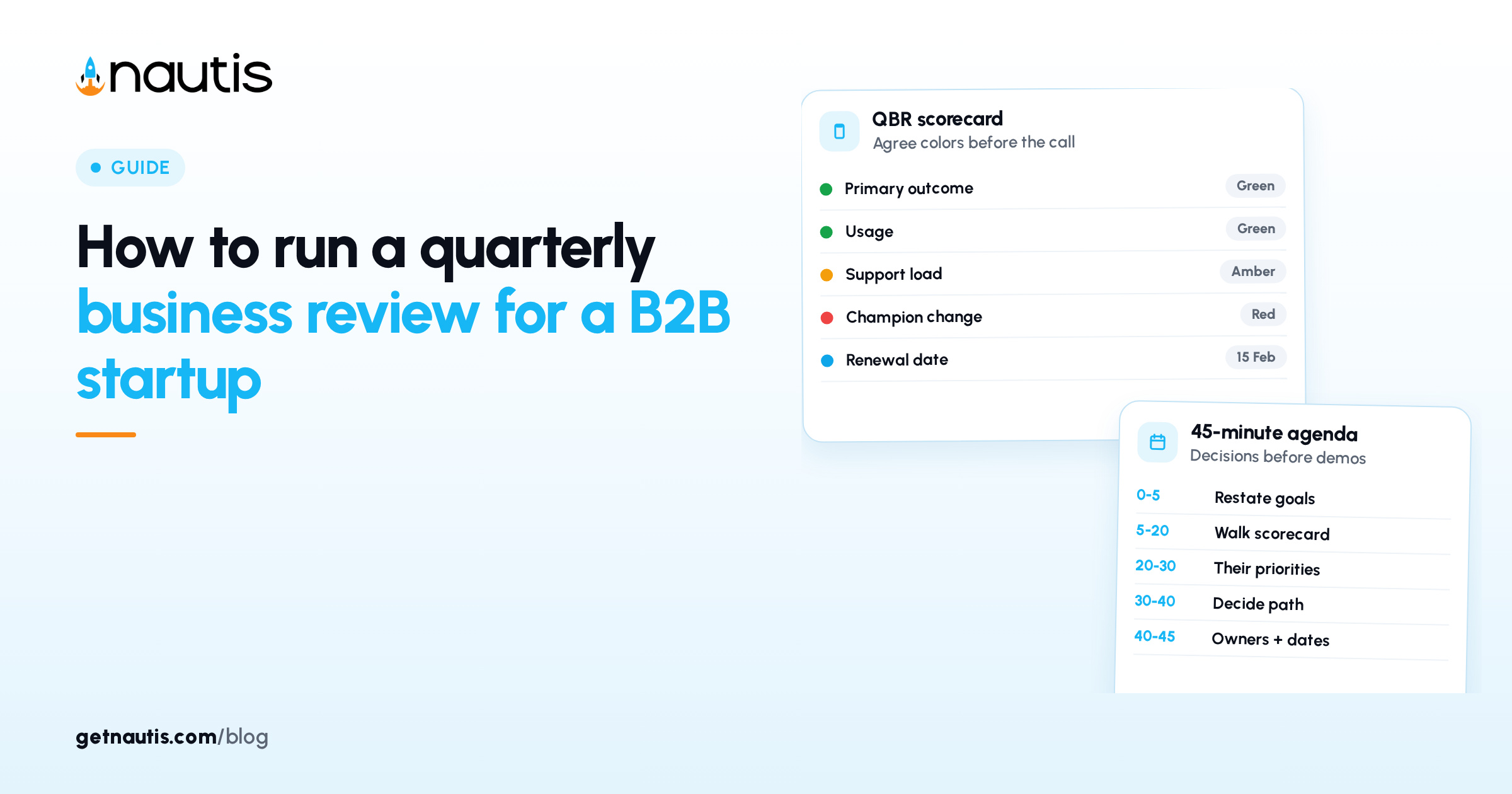
Do not open a blank slide the morning of the review. Build a scorecard from the same fields every quarter so trends are visible.
Scorecard row | What to show | Example (label as example) |
|---|---|---|
Primary outcome | The goal named at kickoff or last QBR | Time to first report under 2 days |
Usage | Weekly active seats or core actions | 14 of 18 seats active in the last 30 days |
Value proof | One customer-owned result | Ops team cut manual export work from Fridays |
Support load | Tickets and time to resolve | 3 tickets, median reply under one business day |
Expansion signals | Extra teams, seats, or modules asked for | Two regional managers requested view-only access |
Risk flags | Low usage, unpaid invoice, champion change | Champion changing roles next month |
Commercial status | Renewal date, term, open quotes | Renews 15 February 2027; no open quote |
Color each row only after the number is agreed. Green means on track against the written goal. Amber means off track but recoverable this quarter. Red means the goal is missed or a commercial risk is active. Keep a notes column for the story behind the color so the meeting is not an argument about the paint. Example: an amber usage row might note “two teams paused during a warehouse move,” which is a different conversation from “nobody logged in after training.”
If you already run basic customer success check-ins, pull the weekly risk signals into this scorecard instead of inventing a second tracking system. The QBR should feel like a summary of work you already do, not a scramble for screenshots.
How to run a quarterly business review: a 45-minute agenda
Use a timed agenda and assign a timekeeper. Forty-five minutes is enough when the scorecard arrived early. Stretch to sixty only when a renewal or expansion decision is on the table and both decision makers confirmed attendance.
Minutes | Block | Owner | Goal of the block |
|---|---|---|---|
0 to 5 | Recap the goals you are measuring | You | Restate the written outcomes, not the product roadmap |
5 to 20 | Walk the scorecard row by row | You, with their corrections | Agree what is green, amber, or red |
20 to 30 | Customer priorities for the next quarter | Customer | Hear their plan before you pitch yours |
30 to 40 | Decisions: renew, expand, rescue, or watch | Both | Leave with a clear commercial and success path |
40 to 45 | Owners, dates, and the follow-up note | You | Capture actions while everyone is still on the call |
During the scorecard block, resist fixing every amber row with a new feature promise. Ask what changed in their process first. Many amber rows are adoption problems, not missing buttons. Take notes in the customer’s words so the recap does not sound like a translation into your internal jargon.
During the decision block, say the options out loud. Silence is not agreement. Example lines you can adapt:
- Renew: “We recommend renewing on the current plan and revisiting seats after the new region rolls out.”
- Expand: “Two teams are blocked without view-only seats. Shall we quote that this week?”
- Rescue: “Usage fell after the champion left. We propose a two-week re-onboarding plan with a named owner on both sides.”
- Watch: “Results are fine, but the unpaid invoice is fourteen days overdue. We pause expansion talk until that clears.”
Write the chosen path into the meeting notes before you hang up.
What decisions should leave the room?
Every quarterly business review should produce at least one commercial or success decision, even if the decision is “stay the course.” Use a simple matrix so the team does not leave with only “good chat.”
If the scorecard shows… | Default decision to confirm | What you schedule next |
|---|---|---|
Goals met, usage healthy, renewal soon | Renew on current terms | Send renewal paperwork within five business days |
Goals met, clear demand from another team | Expand with a dated quote | Quote and technical check within one week |
Amber goals, engaged champion | Rescue plan with weekly check-ins | Share the plan the same day |
Red goals or silent stakeholders | Executive check-in or wind-down plan | Book the follow-up before you leave the call |
Unpaid invoices or contract disputes | Pause expansion talk | Route to whoever owns collections or counsel |
Do not hide a weak account inside a feature tour. Customers notice. Your own forecast also needs an honest label so renewals are not a surprise in the final month of the term. If you leave without a decision, write “no decision” and the blocker in the notes instead of pretending the meeting finished cleanly.
How do you follow up within 24 hours?
Send a short written recap the same day when you can, and within one business day at the latest. The note should stand alone for someone who missed the call.
Include:
- The agreed color on each scorecard row
- The decision you confirmed (renew, expand, rescue, or watch)
- Action items with owners and due dates
- Links to any quotes, training sessions, or support tickets you opened
- The proposed date for the next quarterly business review
Copy the champion and the economic buyer. File the note on the account record so the next owner is not reconstructing history from chat. Then create tasks for every action you own and decline any “we will think about it” items that have no date. If an action belongs to the customer, still write their name and a date you will nudge them.
If the decision was expand or renew, send the commercial document in a separate thread so the recap stays readable. If the decision was rescue, put the first check-in on the calendar before the day ends.
Running the quarterly rhythm in Nautis
Keep each account’s scorecard and recap in Notes so the history stays searchable. Track the commercial stage and renewal date on the company card in Leads CRM. Book the live review in Meetings so both sides see the same time zone and join link. Turn every follow-up into a Task Boards card with an owner and due date.
That rhythm will not replace judgment in the room. It does keep how to run a quarterly business review from depending on one person’s memory when the next ninety days start. Review the open Task Boards cards the morning of the meeting so stale items do not surprise anyone on the scorecard.
Frequently asked questions
How often should you run a quarterly business review?
Once per quarter for each account that is live enough to discuss outcomes. Newer accounts may need working sessions until the first goals exist. Large or at-risk accounts can add a mid-quarter check without renaming every call a QBR.
Who should attend a QBR?
Your account owner plus someone who can speak to product or support when needed, and on their side the champion plus a person who owns budget or outcomes. If the buyer cannot attend, say in the invite that renewal or expansion decisions will wait.
How is a QBR different from a weekly check-in?
A weekly check-in clears blockers and next steps for the current work. A quarterly business review compares ninety days of results to written goals and makes a commercial or success decision for the next quarter.
What should you send after the meeting?
A short recap with scorecard colors, the decision you confirmed, owners and due dates, links to quotes or tickets, and the next QBR date. Send it within one business day and file it on the account record.
Sources
- Nautis Help Center, Notes. Checked on November 19, 2026.
- Nautis Help Center, Leads & Sales CRM. Checked on November 19, 2026.
- Nautis Help Center, Meetings. Checked on November 19, 2026.
- Nautis Help Center, Task Boards. Checked on November 19, 2026.
Baltej Singh is a serial entrepreneur, technology leader, and Founder & CEO of Nautis and DemoVexa, with over 16 years of experience building software products, SaaS platforms, and startups. Previously the Co-Founder & CTO of SanchiConnect, he has worked extensively in the DeepTech startup ecosystem, connecting with 200+ venture capital firms and supporting a network of 4,000+ startups. Passionate about AI, automation, and entrepreneurship, he focuses on building innovative products that solve real-world problems and help businesses grow.